Screen · Onboarding screen · Khan Academy · Android
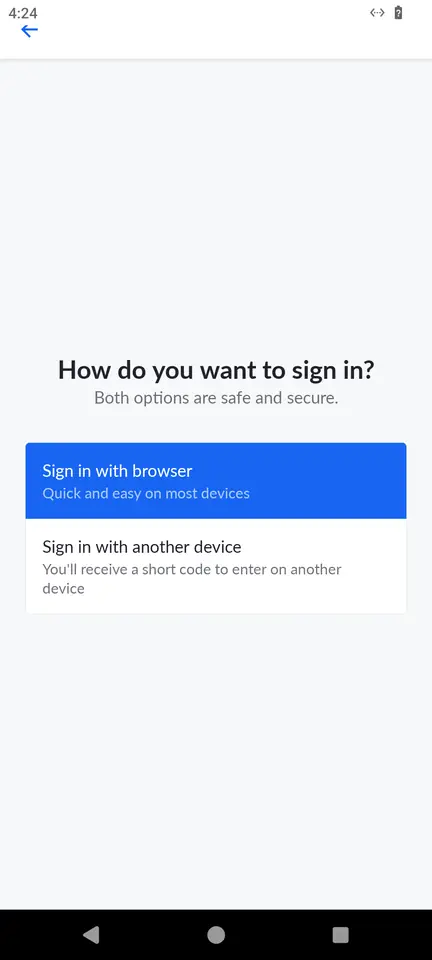
Khan Academy onboarding screen: “How do you want to sign in?”
An onboarding screen from Khan Academy for Android, captured on a real device — screen 18 of 18 we captured. It uses 1 detected UI component, outlined on the screen below.
AndroidOnboarding1 componentfree & ungated
- App
- Khan Academy · Education
- Screen type
- Onboarding
- Tap
- “Sign in with browser, Quick and easy on most devices”
UI text on this screen
Navigate up
How do you want to sign in?
Both options are safe and secure.
Sign in with browser, Quick and easy on most devices
Sign in with browser
Quick and easy on most devices
Sign in with another device
You'll receive a short code to enter on another device
UI components
Located from the app's Android view hierarchy and outlined on the screen.
More Khan Academy screens
Onboarding screens from other apps
All onboarding screens →

Captured on a real Android device · last updated 2026-11-14