How Groupon onboards: a UX teardown
A screen-by-screen UX teardown of Groupon's onboarding flow on Android: what each of its 5 steps is for, where it asks for commitment, and what other shopping & e-commerce apps do differently. Every screen and quote is from our own capture on a real device.
The short version
Shape: Value pitch → Permission prompt → Value pitch ×2 → Permission prompt.
- 5 screens — longer than the median onboarding flow in the library (4 screens across 151 other apps).
- No sign-up or log-in screen in the 5 onboarding screens we captured — the product comes first.
- Requests a system permission at step 2, after priming it on screen.
- One of the few shopping & e-commerce apps here using the “Location & store picker” pattern (only 3 of the 17 others do).
- Built from button (1 screen) and dialog (1 screen) — the most common components we detected in the flow.
Step by step
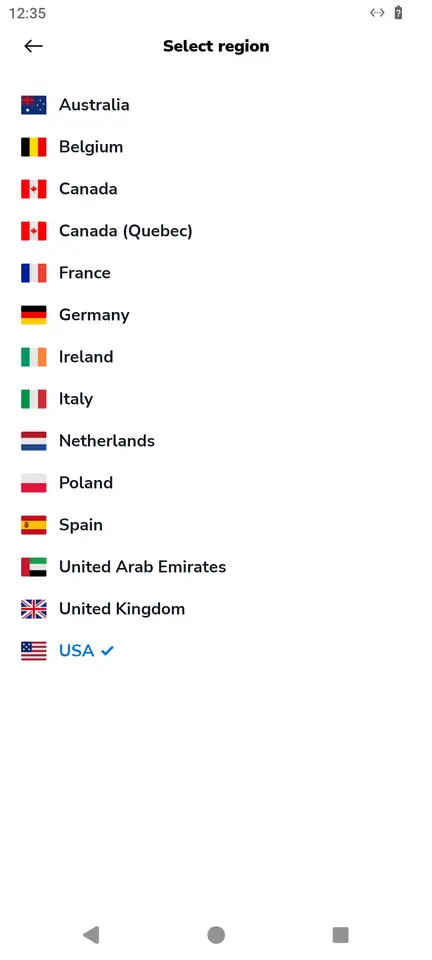
“Select region”
This screen sells the product before asking for anything. On screen: Go back
, Australia
. Next tap: “Select region”.
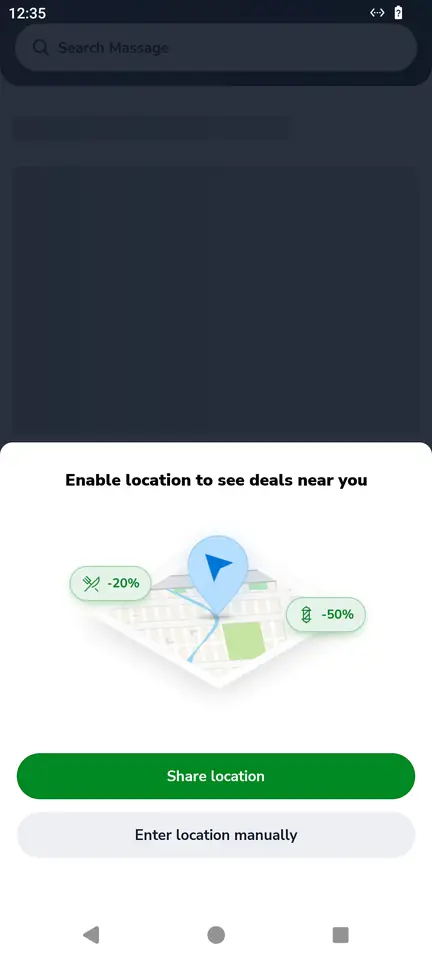
“Enable location to see deals near you”
This screen asks for a system permission. On screen: Share location
, Enter location manually
. Next tap: “Enable location to see deals near you”.
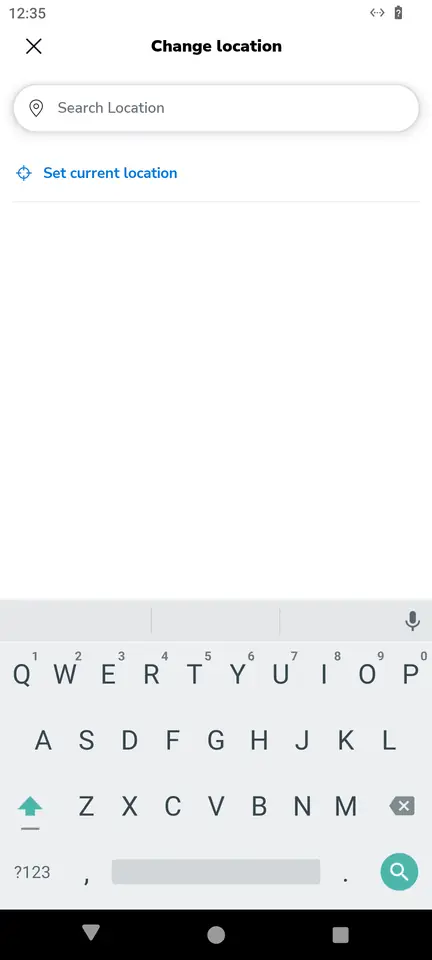
“Change location”
This screen sells the product before asking for anything. On screen: Search Location
, Set current location
. Next tap: “Close”.
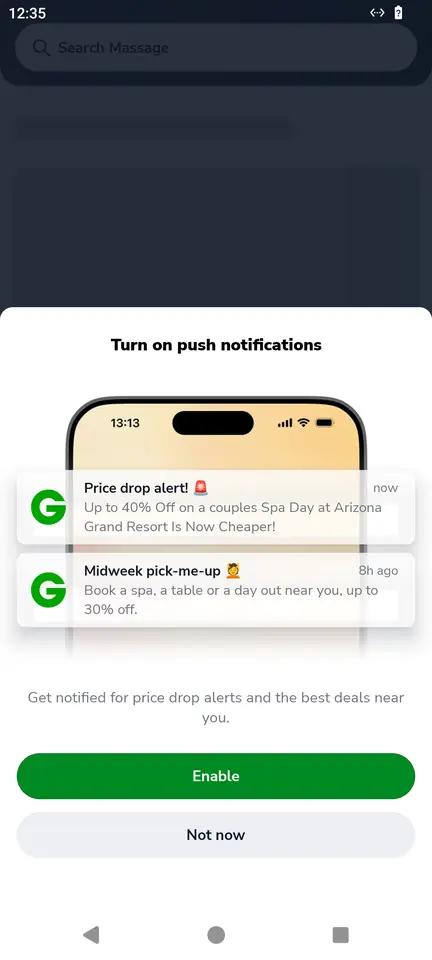
“Turn on push notifications”
This screen sells the product before asking for anything. On screen: Price drop alert! ??
, now
. Next tap: “Enable”.
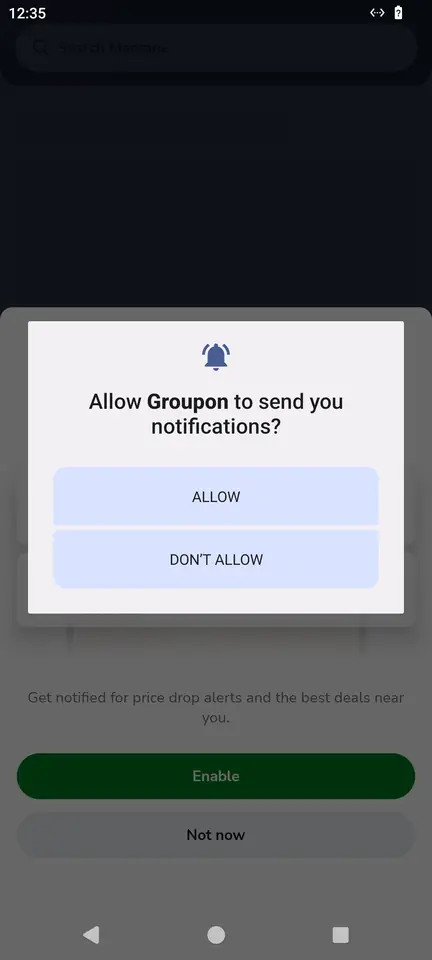
“Allow Groupon to send you notifications?”
This screen asks for a system permission. On screen: ALLOW
, DON’T ALLOW
. Next tap: “Allow”.
What to steal from Groupon
- Delay the account wall: Groupon lets users through 5 onboarding screens without signing up.
UI components in this flow
Other Groupon flows
As an X thread
- 1/ How Groupon onboards on Android: 5 screens, step by step. A UX teardown 🧵
- 2/ The shape of the flow: Value pitch → Permission prompt → Value pitch ×2 → Permission prompt.
- 3/ Step 1 — value pitch: “Select region”. It sells the product before asking for anything. Tap: “Select region”.
- 4/ Step 2 — permission prompt: “Enable location to see deals near you”. It asks for a system permission. Tap: “Enable location to see deals…”.
- 5/ Step 3 — value pitch: “Change location”. It sells the product before asking for anything. Tap: “Close”.
- 6/ No sign-up or log-in screen in the 5 onboarding screens we captured — the product comes first.
- 7/ Requests a system permission at step 2, after priming it on screen.
- 8/ One of the few shopping & e-commerce apps here using the “Location & store picker” pattern (only 3 of the 17 others do).
- 9/ What to steal — Delay the account wall: Groupon lets users through 5 onboarding screens without signing up.
- 10/ Every screen, in order, free: https://flowtape.ai/teardown/groupon/
FAQ
How many screens is Groupon's onboarding flow?
We captured 5 screens of Groupon's onboarding flow on a real Android device. Its shape: Value pitch → Permission prompt → Value pitch ×2 → Permission prompt.
When does Groupon ask you to create an account?
Not within the 5 screens we captured — there is no sign-up or log-in screen and the flow lets users in without an account.
What UI patterns does Groupon use?
Across the 9 Groupon screens in the library we detected permission priming, location & store picker, social login buttons, email sign-up form, terms and conditions agreement and search bar.
What can designers learn from Groupon's onboarding flow?
Delay the account wall: Groupon lets users through 5 onboarding screens without signing up.
Captured on a real Android device · last updated 2026-11-14