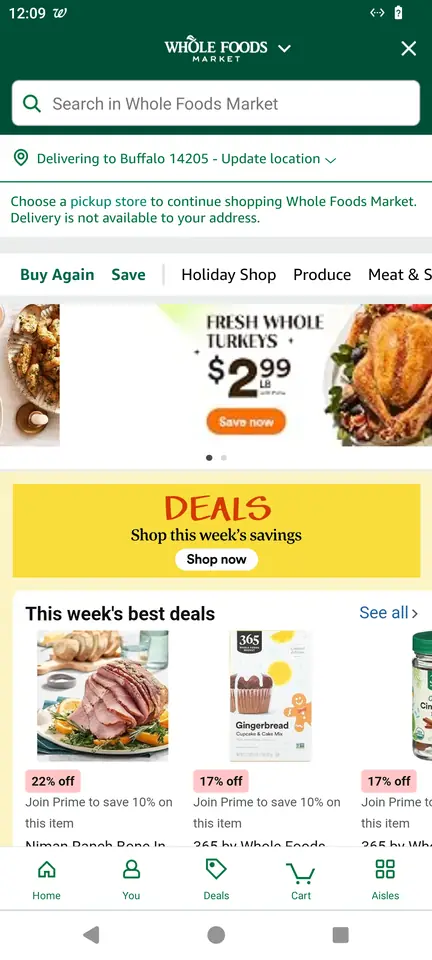
Screen · Onboarding screen · Amazon Shopping · Android
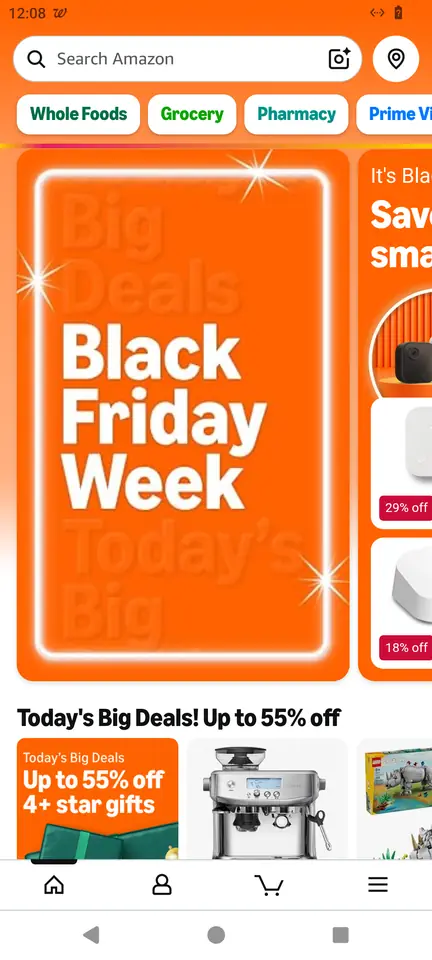
Amazon Shopping onboarding screen: “Whole Foods Button 1 of 5”
An onboarding screen from Amazon Shopping for Android, captured on a real device — step 2 of 3 in Amazon Shopping's onboarding flow. It uses 2 detected UI components, outlined on the screen below.
AndroidOnboardingstep 2 of 32 componentsfree & ungated
- App
- Amazon Shopping · Shopping & e-commerce
- Screen type
- Onboarding
- Flow
- Amazon Shopping onboarding flow — step 2 of 3
- Tap
- “Whole Foods Button 1 of 5”
UI text on this screen
Whole Foods Button 1 of 5
Whole Foods
grocery Button 2 of 5
Grocery
pharmacy Button 3 of 5
Pharmacy
prime video Button 4 of 5
Prime Video
UI components
Located from the app's Android view hierarchy and outlined on the screen.
UI patterns
More Amazon Shopping screens
Onboarding screens from other apps
All onboarding screens →
Captured on a real Android device · last updated 2026-11-14