Home & browsing flow · Fable · Android
Fable home & browsing screens
Every screen of Fable's home & browsing screens on Android, in order: 5 steps, recorded on a real device. Fable's home & browsing flow walks through 5 screens, including “Set your Reading streak by adding books…”, “Find or Create”, “The new books our community is most…” and “Shelf improvement”. The screens are built around tab bars (4 screens) and a search bar.
UI components:
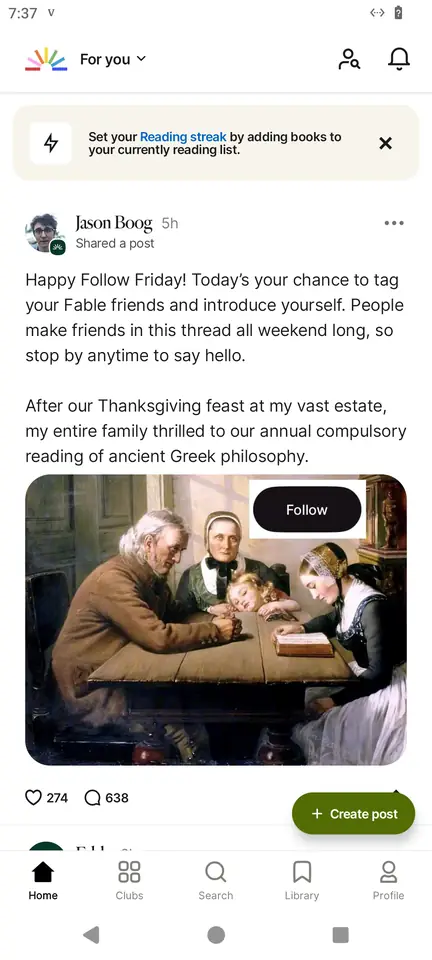 01 Home & browsing
Set your Reading streak by adding books to your currently reading list. — Remove reading streak.
 02 Home & browsing
Selected image — Like, 274
 03 Home & browsing
Find or Create — Your new BFFs await
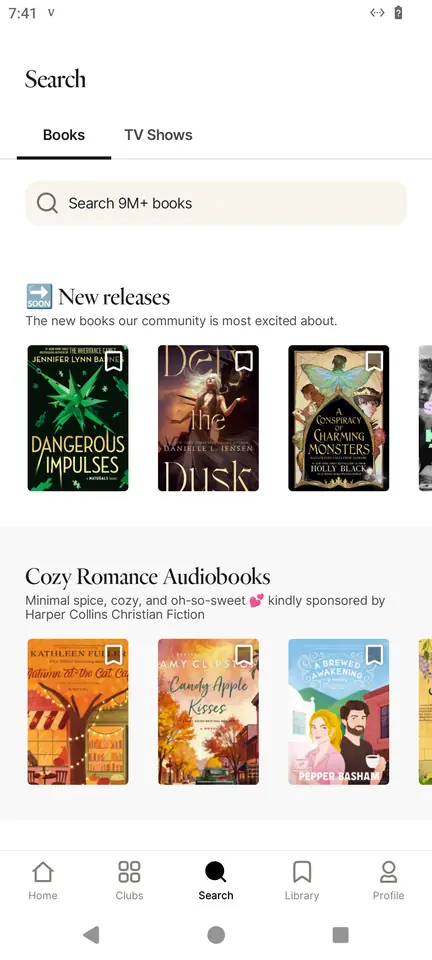 04 Home & browsing
Search — Books
 05 Home & browsing
Shelf improvement — Show me
What Fable's home & browsing screens does
- 5 screens in order, opening on “Set your Reading streak by adding books to your currently…” and ending at “Shelf improvement”.
Read the step-by-step UX teardown of this flow →
Captured on a real Android device · last updated 2026-11-14