Screen · Home screen · Simple Radio · Android
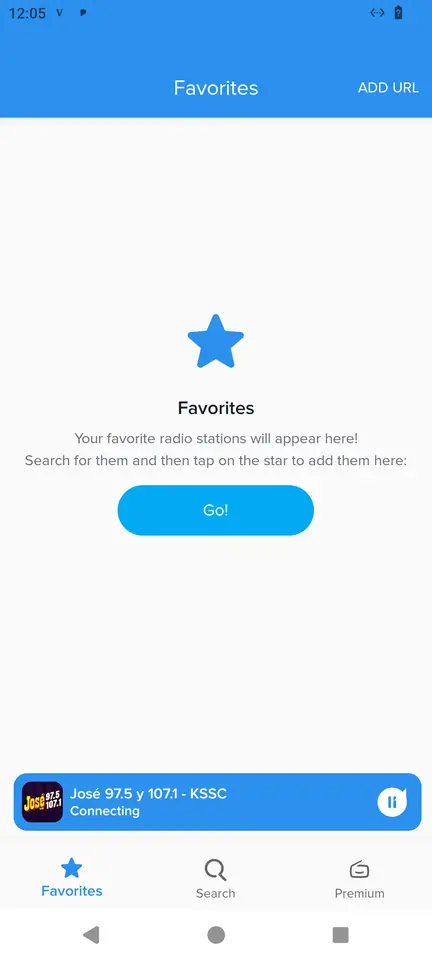
Simple Radio home screen: “Favorites”
A home screen from Simple Radio for Android, captured on a real device — step 2 of 3 in Simple Radio's home & browsing screens. It uses 3 detected UI components, outlined on the screen below.
AndroidHome & browsingstep 2 of 33 componentsfree & ungated
- App
- Simple Radio · Streaming & entertainment
- Screen type
- Home & browsing
- Flow
- Simple Radio home & browsing screens — step 2 of 3
UI text on this screen
Favorites
Your favorite radio stations will appear here!
Search for them and then tap on the star to add them here:
Go!
Privacy Policy
Terms of Service
ADD URL
José 97.5 y 107.1 - KSSC
UI components
Located from the app's Android view hierarchy and outlined on the screen.
More Simple Radio screens
Home screens from other apps
All home screens →
Captured on a real Android device · last updated 2026-11-14