Screen · Onboarding screen · Weather Overview · Android
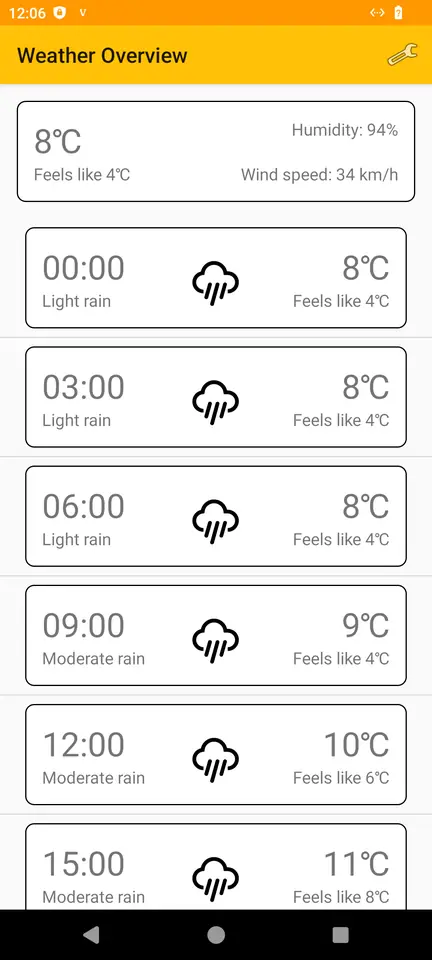
Weather Overview onboarding screen: “Preferences”
An onboarding screen from Weather Overview for Android, captured on a real device — step 1 of 4 in Weather Overview's onboarding flow. It uses 2 detected UI components, outlined on the screen below.
AndroidOnboardingstep 1 of 42 componentsfree & ungated
- App
- Weather Overview · Productivity & tools
- Screen type
- Onboarding
- Flow
- Weather Overview onboarding flow — step 1 of 4
- Tap
- “Preferences”
UI text on this screen
Weather Overview
Preferences
8℃
Humidity: 94%
Feels like 4℃
Wind speed: 34 km/h
00:00
Light rain
UI components
Located from the app's Android view hierarchy and outlined on the screen.
More Weather Overview screens
Onboarding screens from other apps
All onboarding screens →
Captured on a real Android device · last updated 2026-11-14