Screen · Home screen · NoNonsense Notes · Android
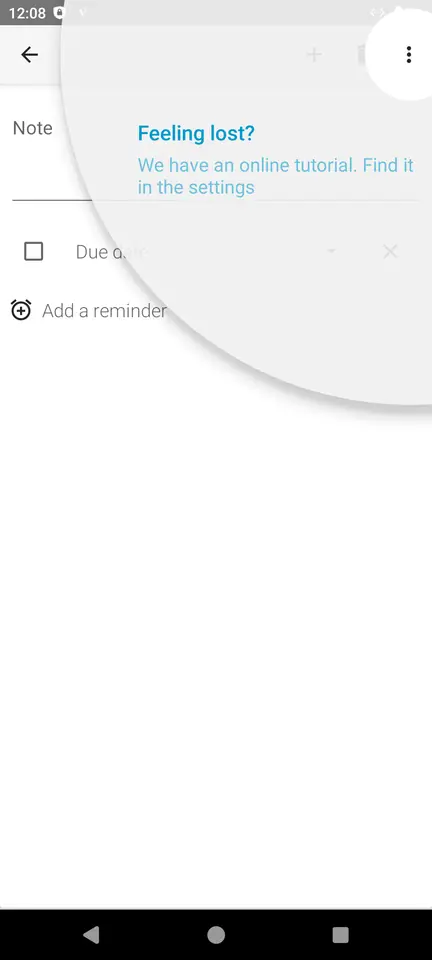
NoNonsense Notes home screen: “Note”
A home screen from NoNonsense Notes for Android, captured on a real device — step 2 of 3 in NoNonsense Notes's home & browsing screens. It uses 4 detected UI components, outlined on the screen below.
AndroidHome & browsingstep 2 of 34 componentsfree & ungated
- App
- NoNonsense Notes · Productivity & tools
- Screen type
- Home & browsing
- Flow
- NoNonsense Notes home & browsing screens — step 2 of 3
- Tap
- “Save and add note”
UI text on this screen
Note
Due date
Remove due date
Add a reminder
Navigate up
Save and add note
Delete
More options
UI components
Located from the app's Android view hierarchy and outlined on the screen.
More NoNonsense Notes screens
Home screens from other apps
All home screens →
Captured on a real Android device · last updated 2026-11-14