Screen · Settings screen · Dropbox · Android
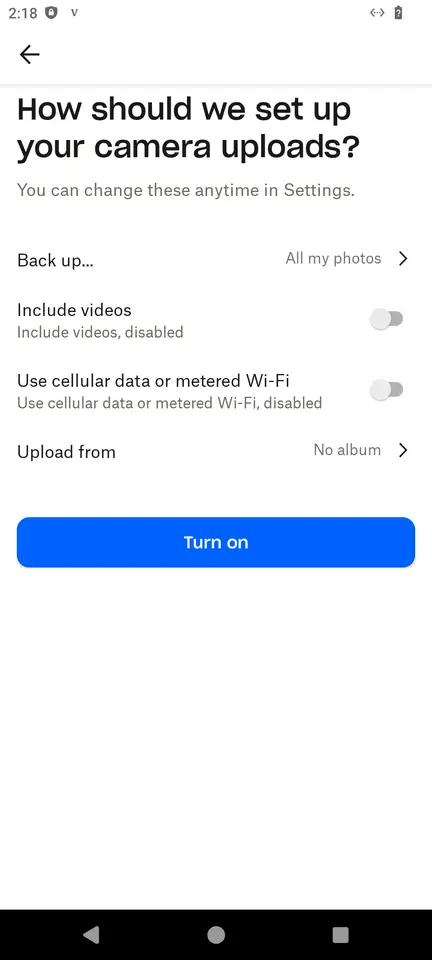
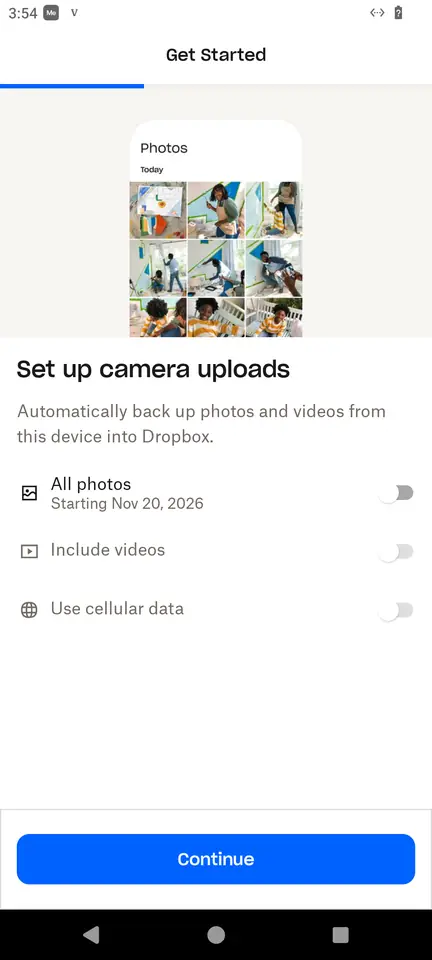
Dropbox settings screen: “How should we set up your camera uploads?”
A settings screen from Dropbox for Android, captured on a real device — step 4 of 4 in Dropbox's settings screens. It uses 5 detected UI components, outlined on the screen below.
AndroidSettingsstep 4 of 45 componentsfree & ungated
- App
- Dropbox · Productivity & tools
- Screen type
- Settings
- Flow
- Dropbox settings screens — step 4 of 4
UI text on this screen
Back
How should we set up your camera uploads?
You can change these anytime in Settings.
Back up...
All my photos
Include videos
Include videos, disabled
Use cellular data or metered Wi-Fi
UI components
Located from the app's Android view hierarchy and outlined on the screen.
More Dropbox screens
Settings screens from other apps
All settings screens →
Captured on a real Android device · last updated 2026-11-14