How Quora onboards: a UX teardown
A screen-by-screen UX teardown of Quora's onboarding flow on Android: what each of its 6 steps is for, where it asks for commitment, and what other social apps do differently. Every screen and quote is from our own capture on a real device.
The short version
Shape: Value pitch ×6.
- 6 screens — longer than the median onboarding flow in the library (4 screens across 152 other apps).
- No sign-up or log-in screen in the 6 onboarding screens we captured — the product comes first.
- No progress indicator detected across 6 screens.
- 6 of the 12 other social apps in the library use the “Welcome screen” pattern; it was not detected in any Quora screen we captured.
- Built from badge (6 screens), button (6 screens) and checkbox (6 screens) — the most common components we detected in the flow.
Step by step
What to steal from Quora
- Delay the account wall: Quora lets users through 6 onboarding screens without signing up.
UI components in this flow
Other Quora flows
As an X thread
- 1/ How Quora onboards on Android: 6 screens, step by step. A UX teardown 🧵
- 2/ The shape of the flow: Value pitch ×6.
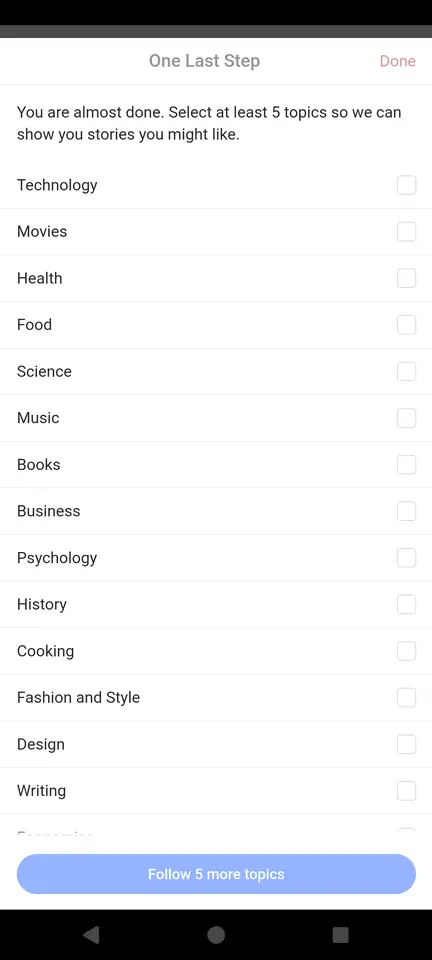
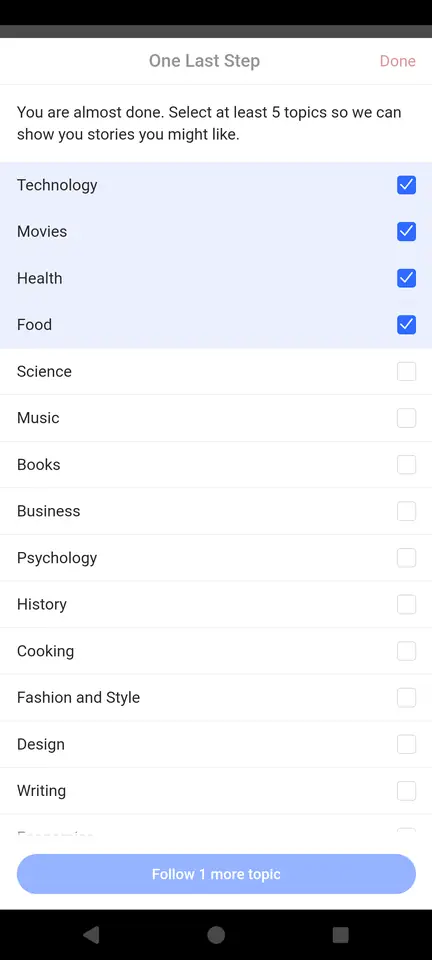
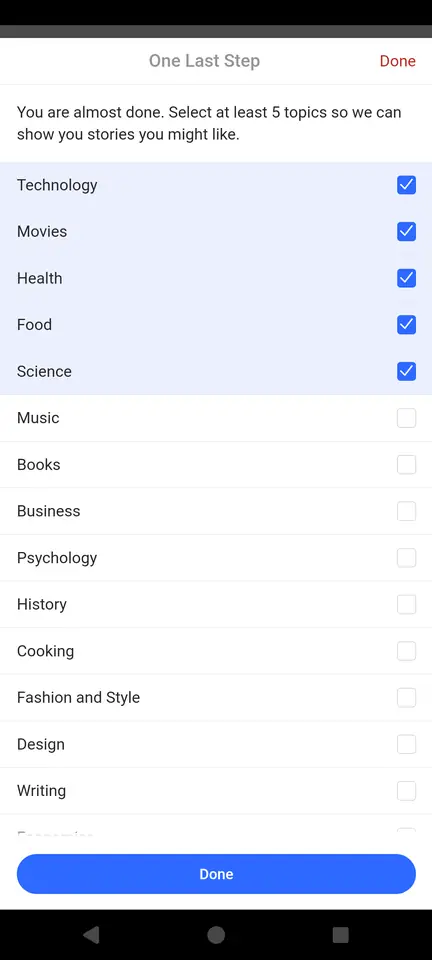
- 3/ Step 1 — value pitch: “One Last Step”. It sells the product before asking for anything. Tap: “Technology”.
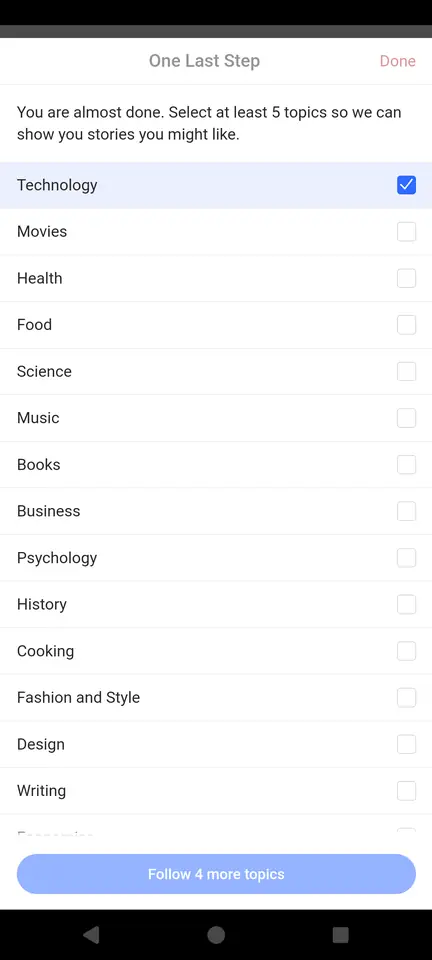
- 4/ Step 2 — value pitch: “One Last Step”. It sells the product before asking for anything. Tap: “Movies”.
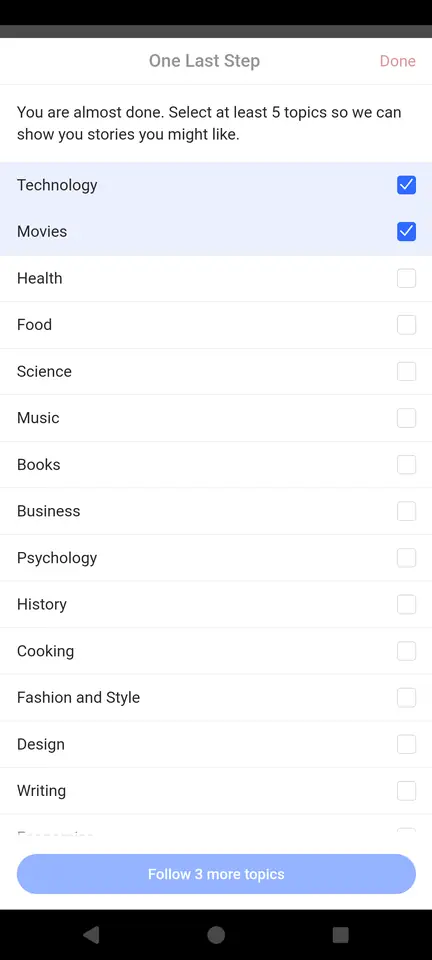
- 5/ Step 3 — value pitch: “One Last Step”. It sells the product before asking for anything. Tap: “Health”.
- 6/ No sign-up or log-in screen in the 6 onboarding screens we captured — the product comes first.
- 7/ No progress indicator detected across 6 screens.
- 8/ 6 of the 12 other social apps in the library use the “Welcome screen” pattern; it was not detected in any Quora screen we captured.
- 9/ What to steal — Delay the account wall: Quora lets users through 6 onboarding screens without signing up.
- 10/ Every screen, in order, free: https://uilane.com/teardown/quora/
FAQ
How many screens is Quora's onboarding flow?
We captured 6 screens of Quora's onboarding flow on a real Android device. Its shape: Value pitch ×6.
When does Quora ask you to create an account?
Not within the 6 screens we captured — there is no sign-up or log-in screen and the flow lets users in without an account.
What UI patterns does Quora use?
Across the 19 Quora screens in the library we detected permission priming, social login buttons, email sign-up form, terms and conditions agreement and search bar.
What can designers learn from Quora's onboarding flow?
Delay the account wall: Quora lets users through 6 onboarding screens without signing up.
Captured on a real Android device · last updated 2026-11-14