How Flo onboards: a UX teardown
A screen-by-screen UX teardown of Flo's onboarding flow on Android: what each of its 69 steps is for, where it asks for commitment, and what other health & fitness apps do differently. Every screen and quote is from our own capture on a real device.
The short version
Shape: Consent → Question ×6 → Info ×2 → Question → Info ×4 → Question ×3 → Info ×3 → Question ×2 → Info ×4 → Question ×2 → Info → Permission prompt → Info → Question → Info ×5 → Question ×2 → Info ×11 → Question ×3 → Info ×2 → Question ×2 → Info → Question ×3 → Info → Question ×3 → Info ×4.
- 69 screens — longer than the median onboarding flow in the library (4 screens across 151 other apps).
- Asks 28 questions along the way, starting at step 2 with “Are you using Flo for yourself?”.
- No sign-up or log-in screen in the 69 onboarding screens we captured — the product comes first.
- Requests a system permission at step 30, after priming it on screen.
- Shows progress on 33 of 69 screens, so the user can see how much is left.
- Offers a way out (a skip option) on 18 screens.
- 17 of the 28 other health & fitness apps in the library use the “Welcome screen” pattern; it was not detected in any Flo screen we captured.
- One of the few health & fitness apps here using the “Cookie consent banner” pattern (only 3 of the 28 others do).
- Built from progress bar (33 screens), card (3 screens) and wheel picker (3 screens) — the most common components we detected in the flow.
Step by step
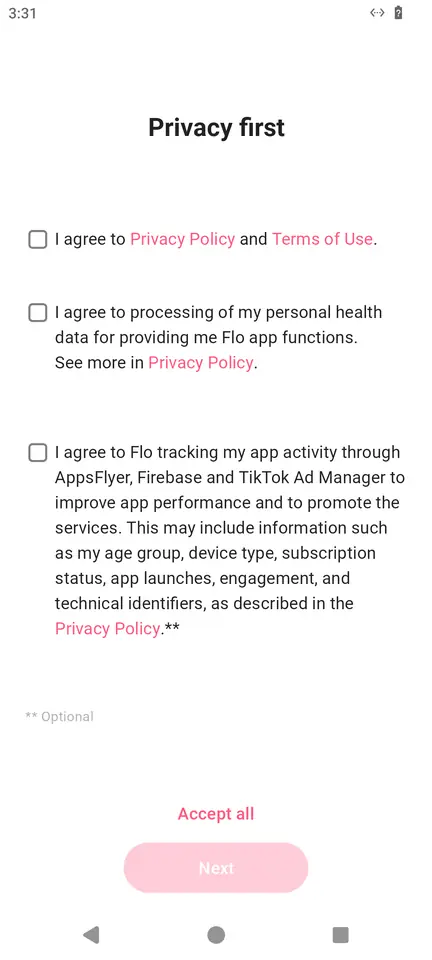
“I agree to Privacy Policy and Terms of Use.”
This screen asks for privacy / cookie consent. On screen: Privacy first
, ** Optional
. Next tap: “Consent checkbox”.
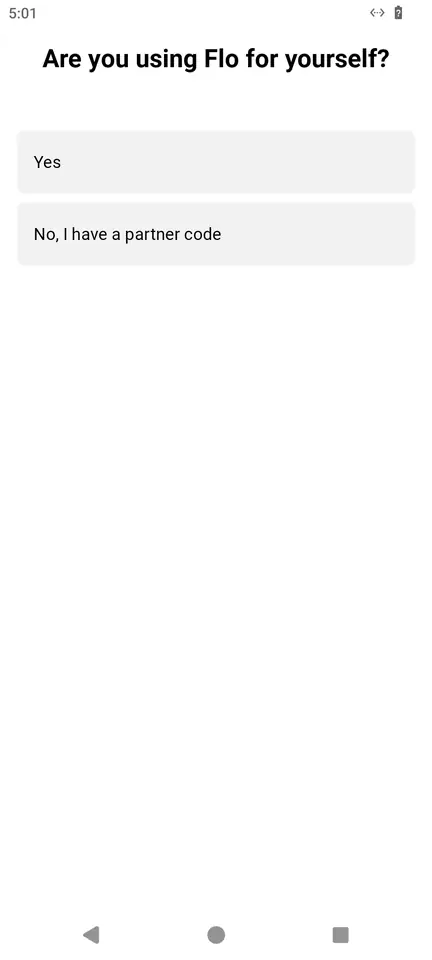
“Are you using Flo for yourself?”
This screen asks the user about themselves to personalise what comes next. On screen: Yes
, No, I have a partner code
. Next tap: “Yes”.
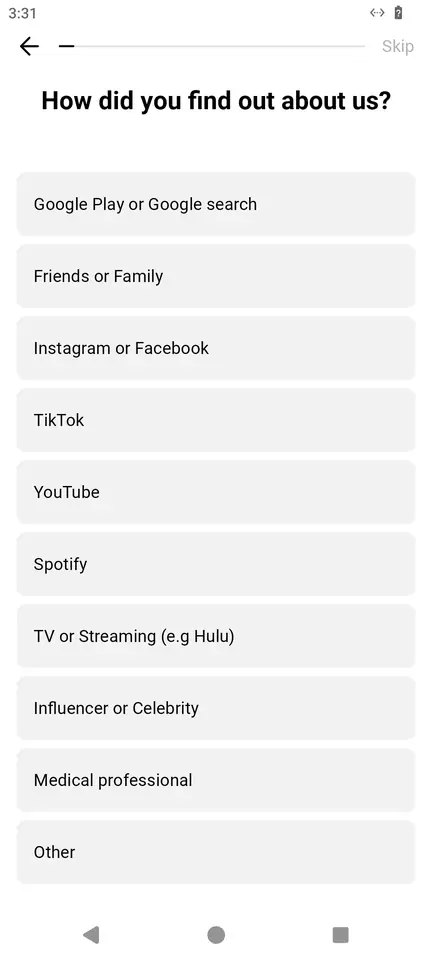
“How did you find out about us?”
This screen asks the user about themselves to personalise what comes next. On screen: Google Play or Google search
, Friends or Family
. Next tap: “Friends or Family”.
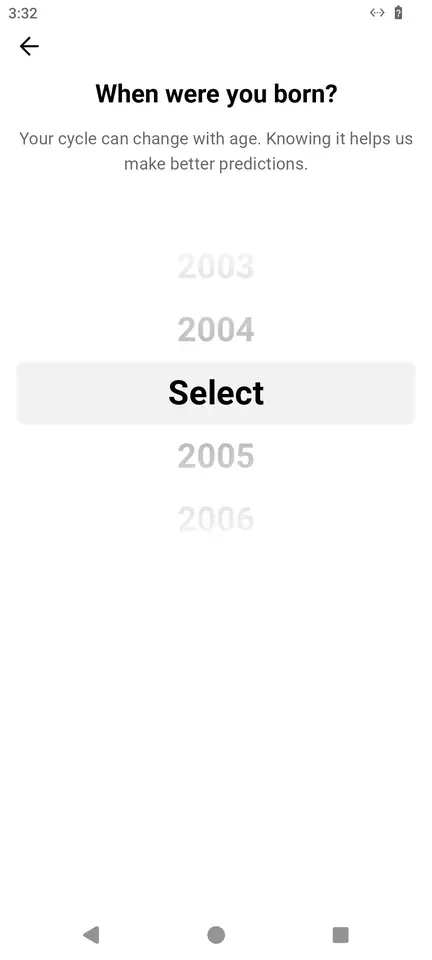
“When were you born?”
This screen asks the user about themselves to personalise what comes next. On screen: Your cycle can change with age. Knowing it helps us make better predictions.
, 2003
.
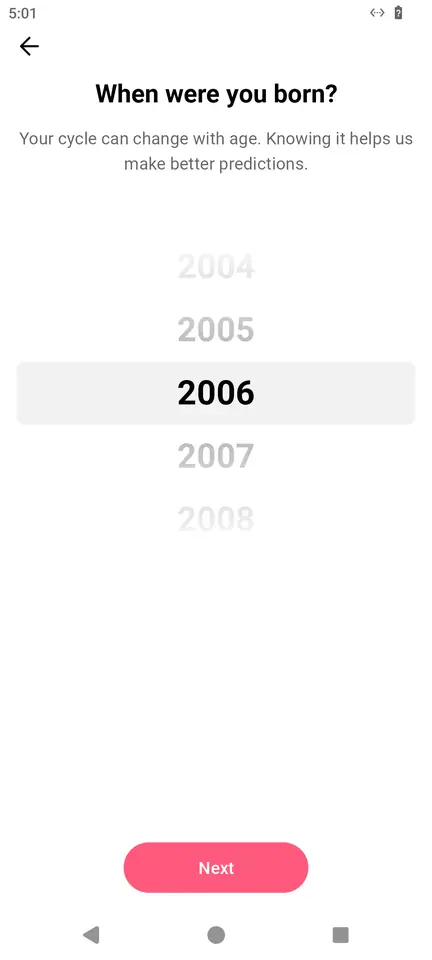
“When were you born?”
This screen asks the user about themselves to personalise what comes next. On screen: Your cycle can change with age. Knowing it helps us make better predictions.
, 2004
.
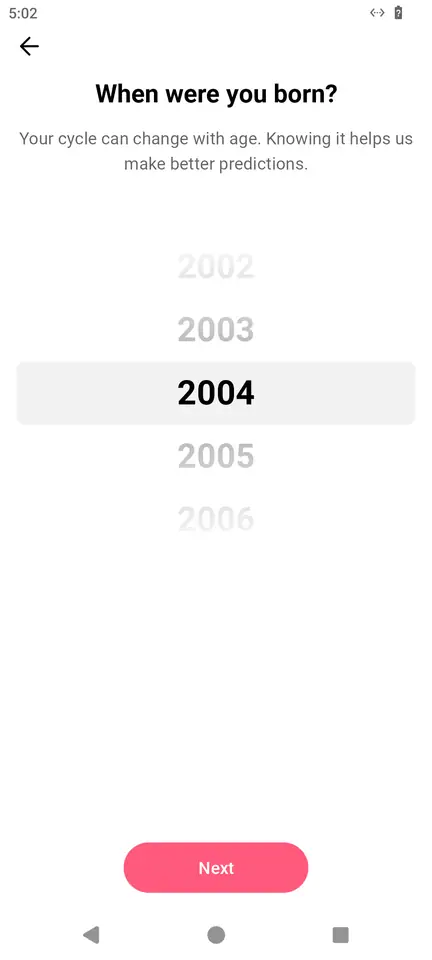
“When were you born?”
This screen asks the user about themselves to personalise what comes next. On screen: Your cycle can change with age. Knowing it helps us make better predictions.
, 2002
. Next tap: “Next”.
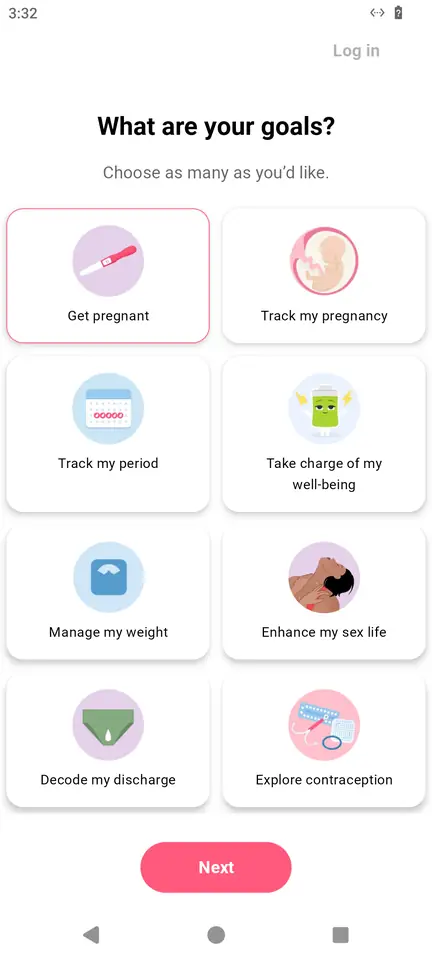
“What are your goals?”
This screen asks the user about themselves to personalise what comes next. On screen: Choose as many as you’d like.
, Get pregnant
. Next tap: “Track my period”.
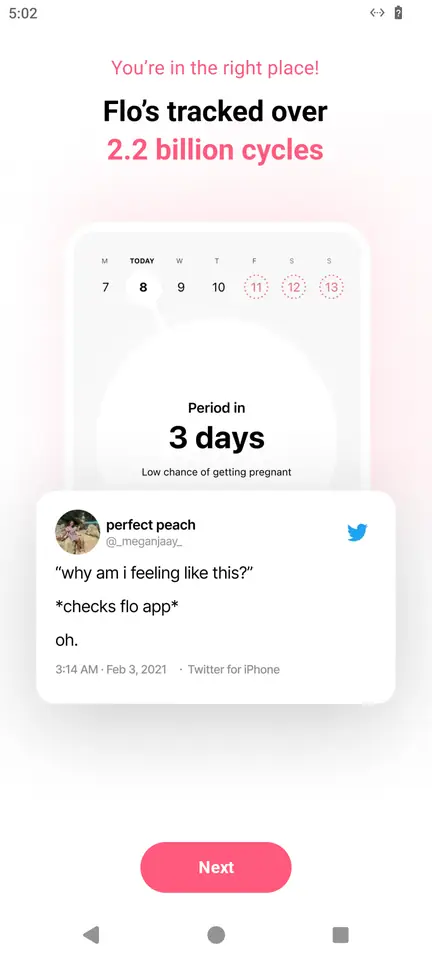
“Next”
This screen explains a feature or a step. Next tap: “Next”.
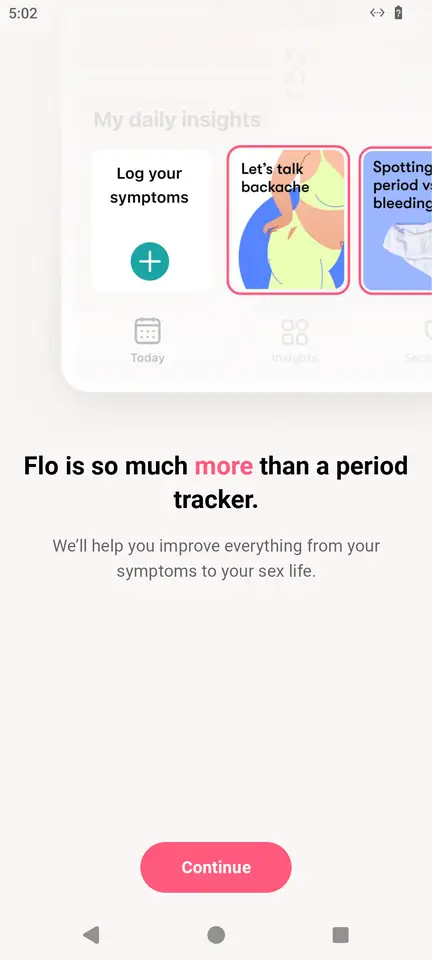
“Flo is so much more than a period tracker.”
This screen explains a feature or a step. On screen: We’ll help you improve everything from your symptoms to your sex life.
, Continue
. Next tap: “Continue”.
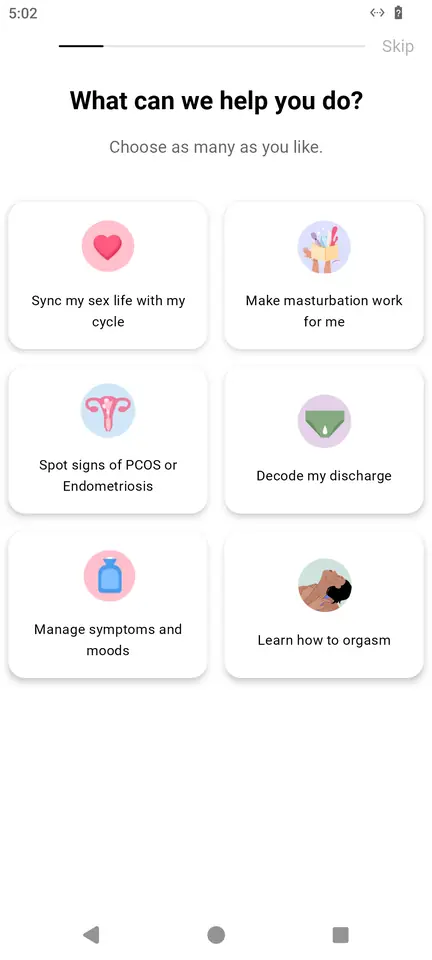
“What can we help you do?”
This screen asks the user about themselves to personalise what comes next. On screen: Choose as many as you like.
, Sync my sex life with my cycle
. Next tap: “Skip”.
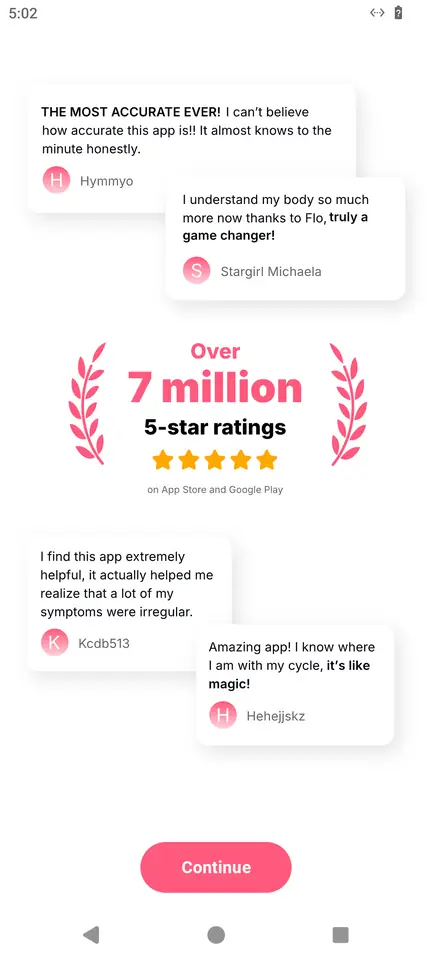
“Continue”
This screen explains a feature or a step. Next tap: “Continue”.
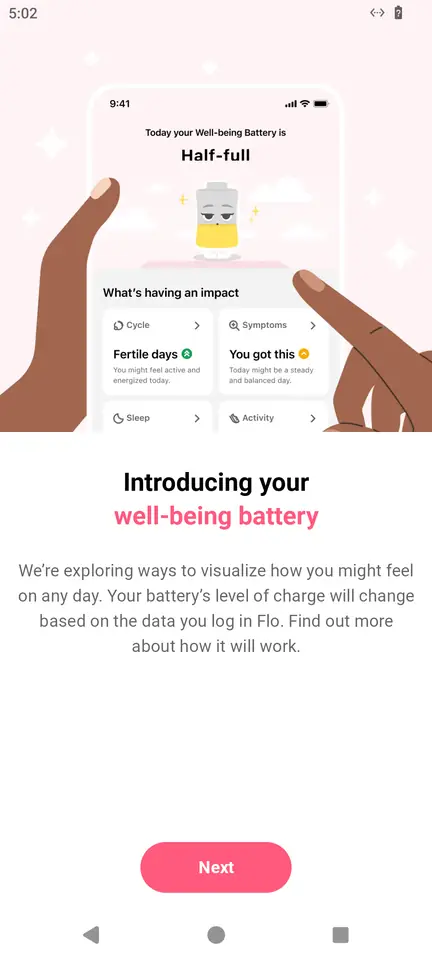
“Introducing your well-being battery”
This screen explains a feature or a step. On screen: Next
. Next tap: “Next”.
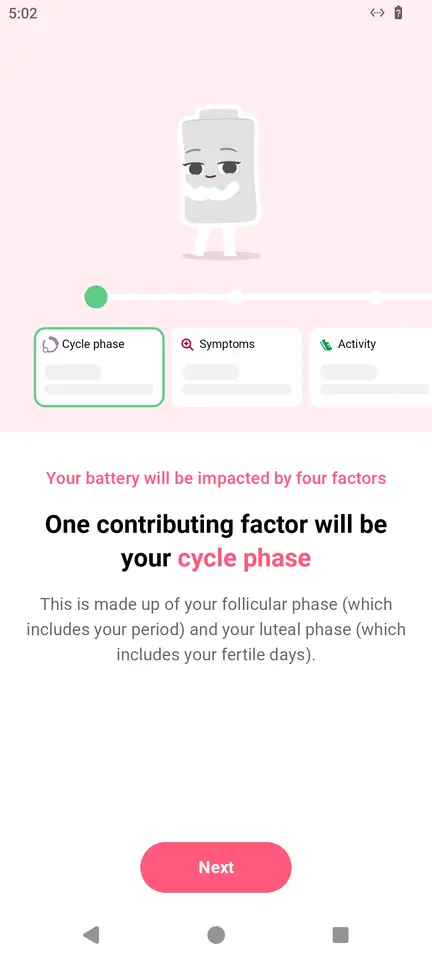
“Your battery will be impacted by four factors”
This screen explains a feature or a step. On screen: One contributing factor will be your cycle phase
, Next
. Next tap: “Next”.
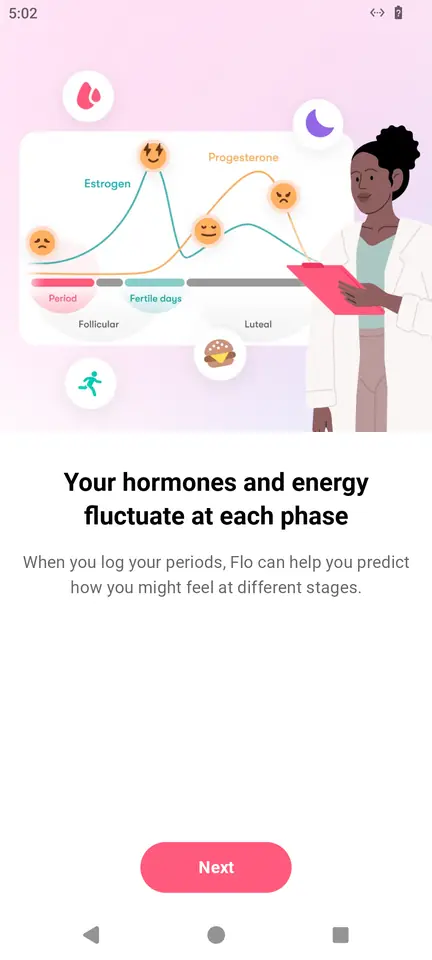
“Your hormones and energy fluctuate at each phase”
This screen explains a feature or a step. On screen: Next
. Next tap: “Next”.
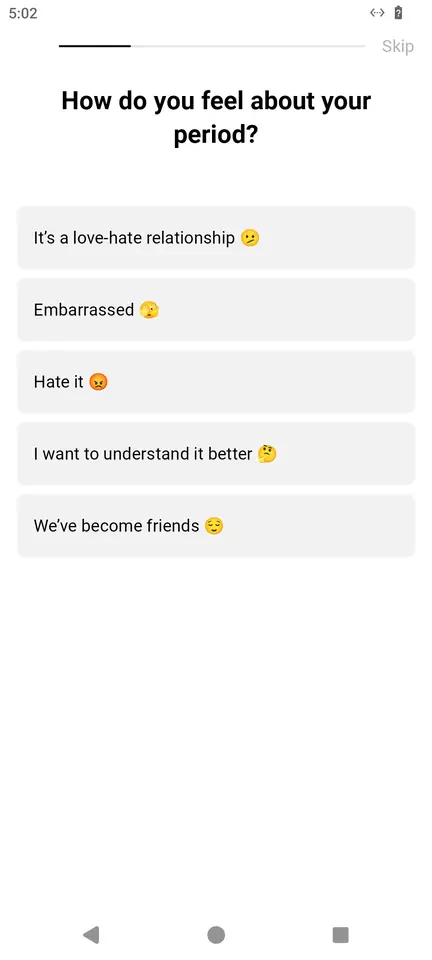
“How do you feel about your period?”
This screen asks the user about themselves to personalise what comes next. On screen: It’s a love-hate relationship 🫤
, Embarrassed 🫣
. Next tap: “It’s a love-hate relationship 🫤”.
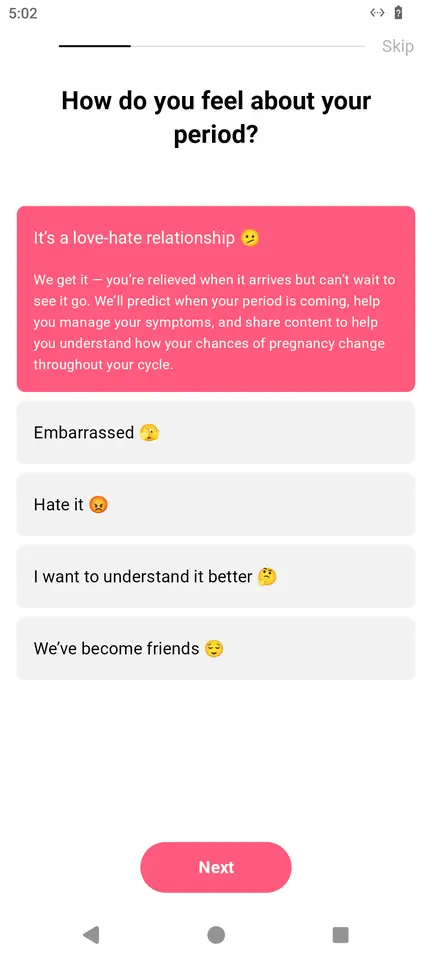
“How do you feel about your period?”
This screen asks the user about themselves to personalise what comes next. On screen: It’s a love-hate relationship 🫤
, Embarrassed 🫣
. Next tap: “Skip”.
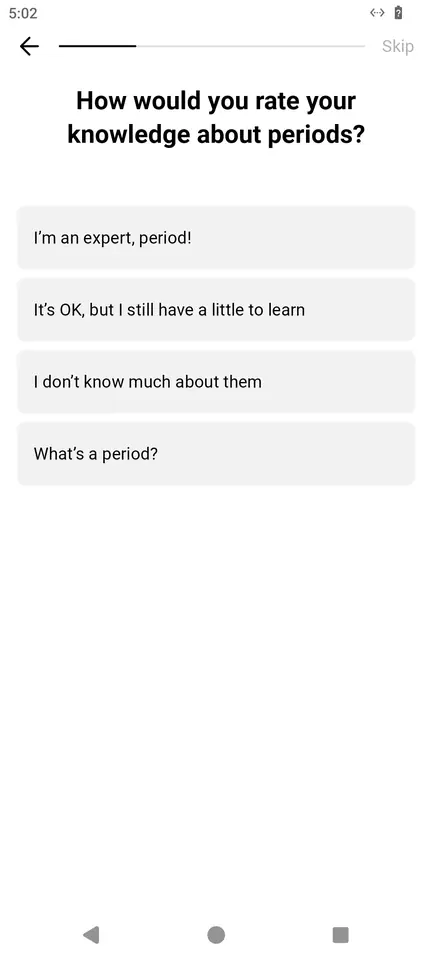
“How would you rate your knowledge about periods?”
This screen asks the user about themselves to personalise what comes next. On screen: I’m an expert, period!
, It’s OK, but I still have a little to learn
. Next tap: “I’m an expert, period!”.
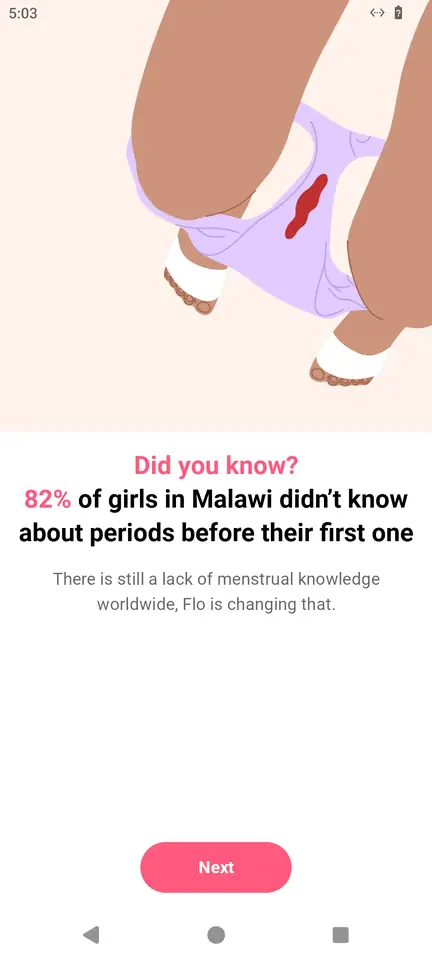
“There is still a lack of menstrual knowledge worldwide, Flo is changing that.”
This screen explains a feature or a step. On screen: Next
. Next tap: “Next”.
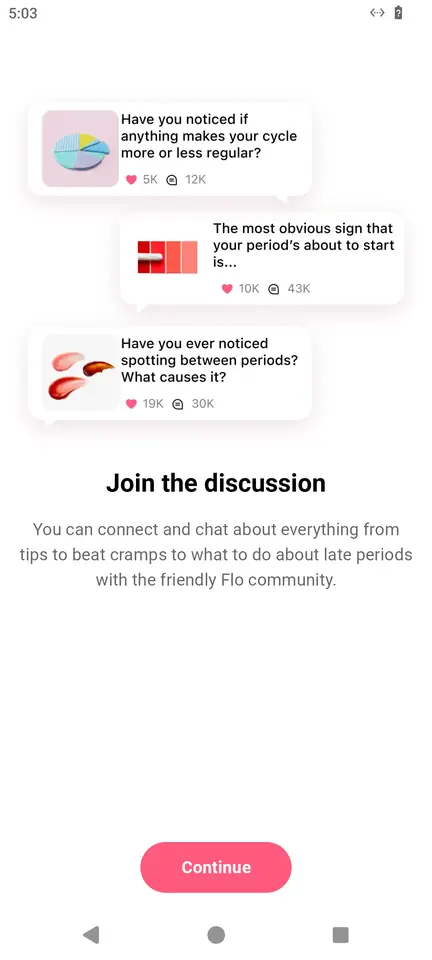
“Join the discussion”
This screen explains a feature or a step. On screen: Continue
. Next tap: “Continue”.
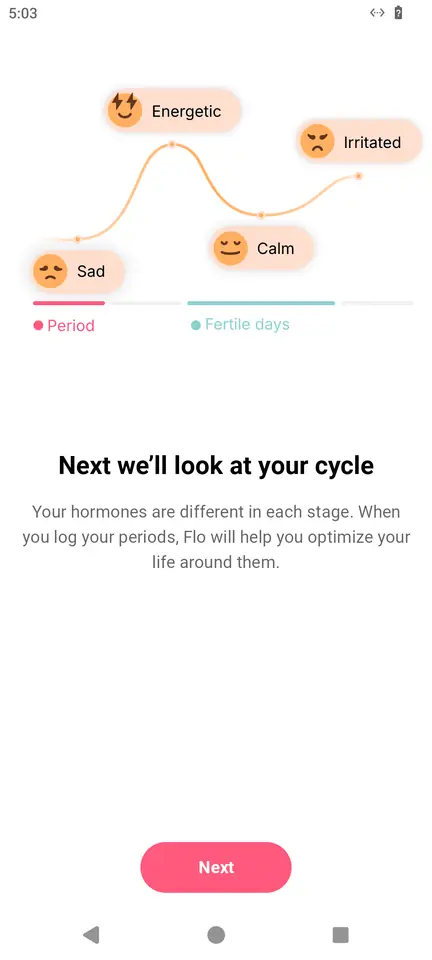
“Next we’ll look at your cycle”
This screen explains a feature or a step. Next tap: “Next”.
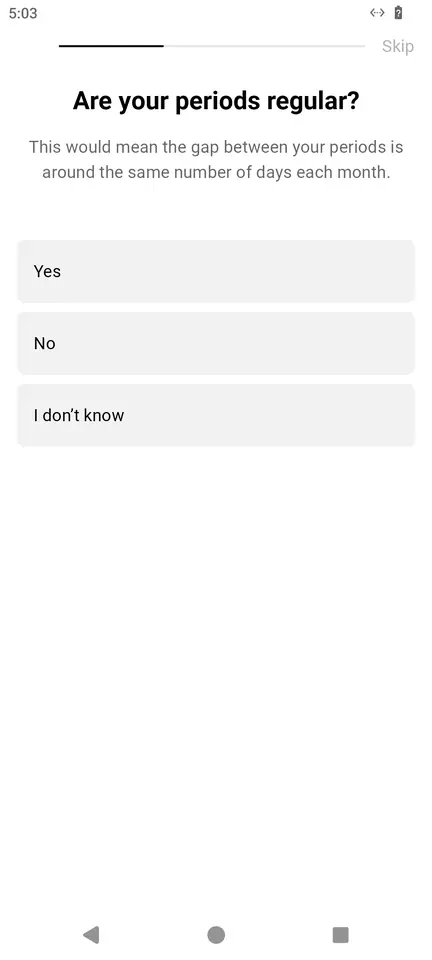
“Are your periods regular?”
This screen asks the user about themselves to personalise what comes next. On screen: Yes
, No
. Next tap: “Yes”.
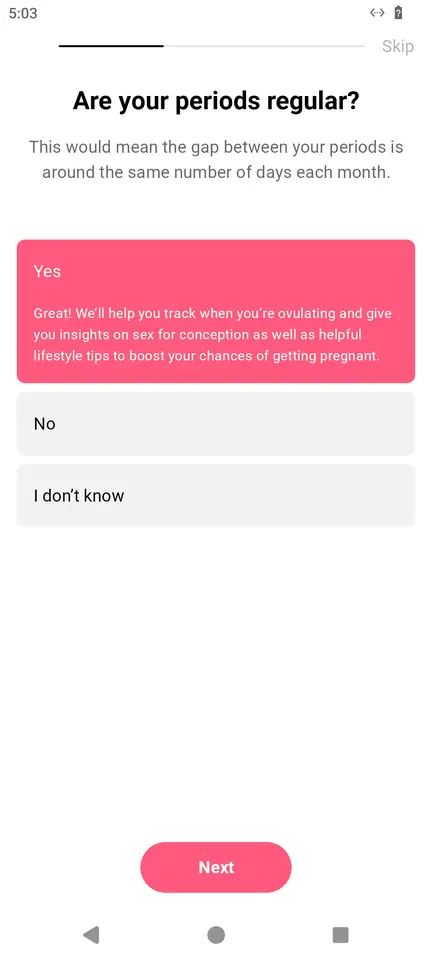
“Are your periods regular?”
This screen asks the user about themselves to personalise what comes next. On screen: Yes
, No
. Next tap: “Skip”.
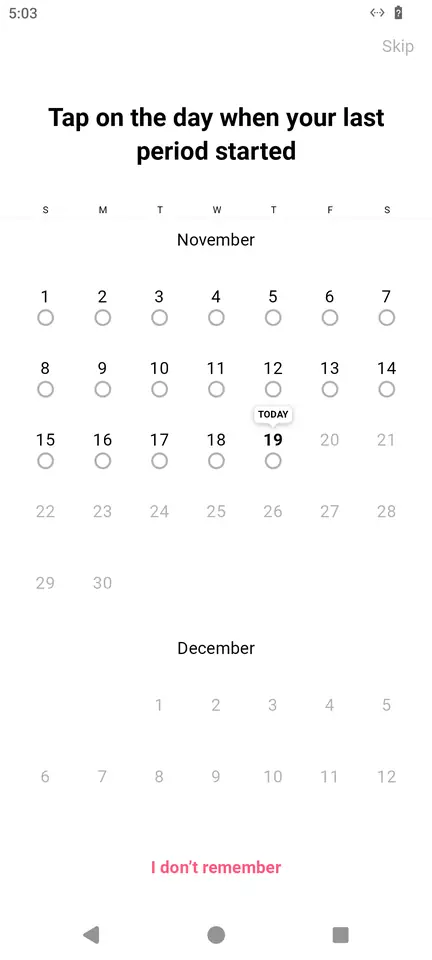
“Tap on the day when your last period started”
This screen explains a feature or a step. On screen: November
, November 2026
. Next tap: “1November2026”.
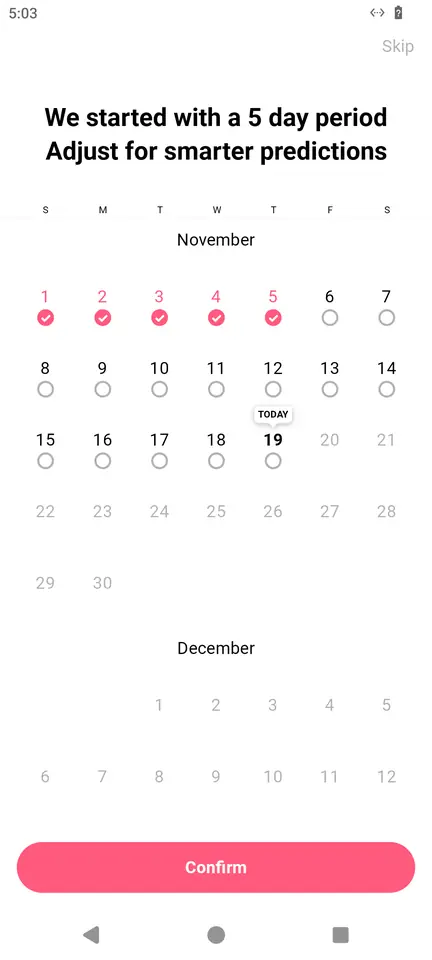
“We started with a 5 day period Adjust for smarter predictions”
This screen explains a feature or a step. On screen: November
, November 2026
. Next tap: “Skip”.
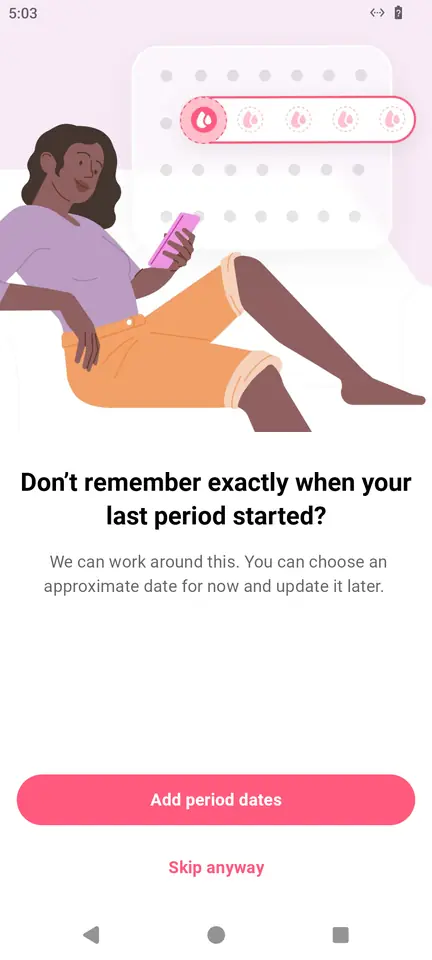
“Don’t remember exactly when your last period started?”
This screen explains a feature or a step. On screen: Add period dates
, Skip anyway
. Next tap: “Skip anyway”.
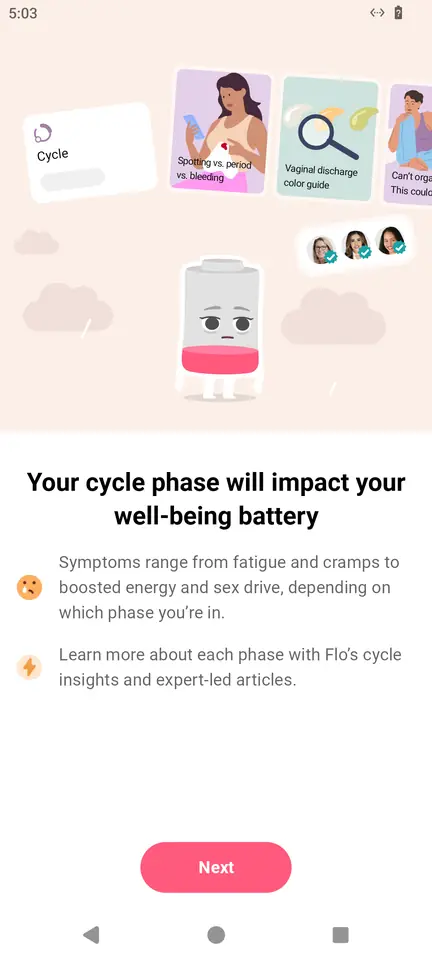
“Your cycle phase will impact your well-being battery”
This screen explains a feature or a step. On screen: Learn more about each phase with Flo’s cycle insights and expert-led articles.
, Next
. Next tap: “Next”.
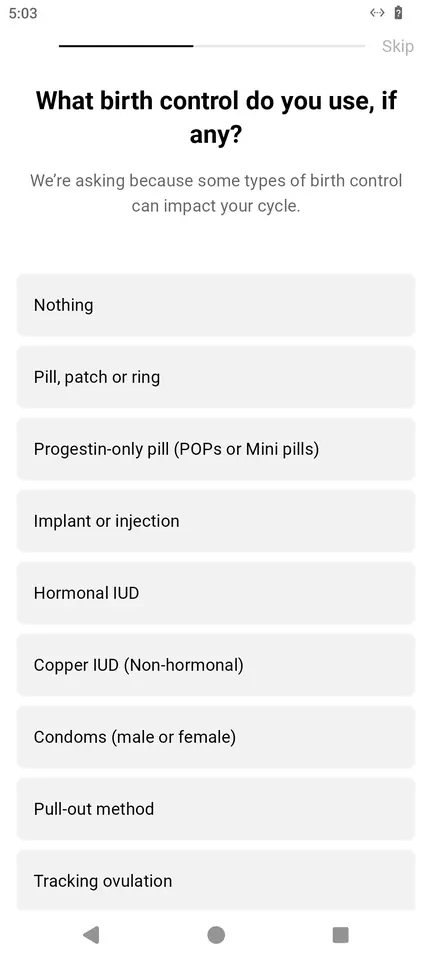
“What birth control do you use, if any?”
This screen asks the user about themselves to personalise what comes next. On screen: We’re asking because some types of birth control can impact your cycle.
, Nothing
. Next tap: “Nothing”.
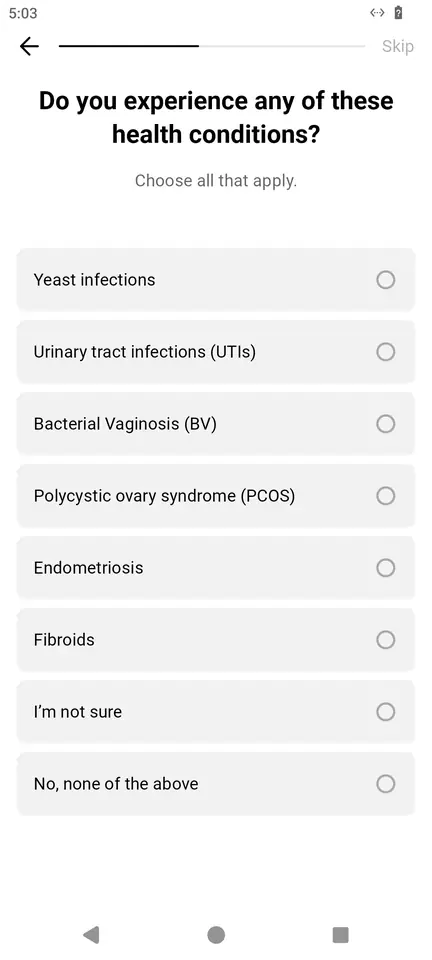
“Do you experience any of these health conditions?”
This screen asks the user about themselves to personalise what comes next. On screen: Choose all that apply.
, Yeast infections
. Next tap: “Skip”.
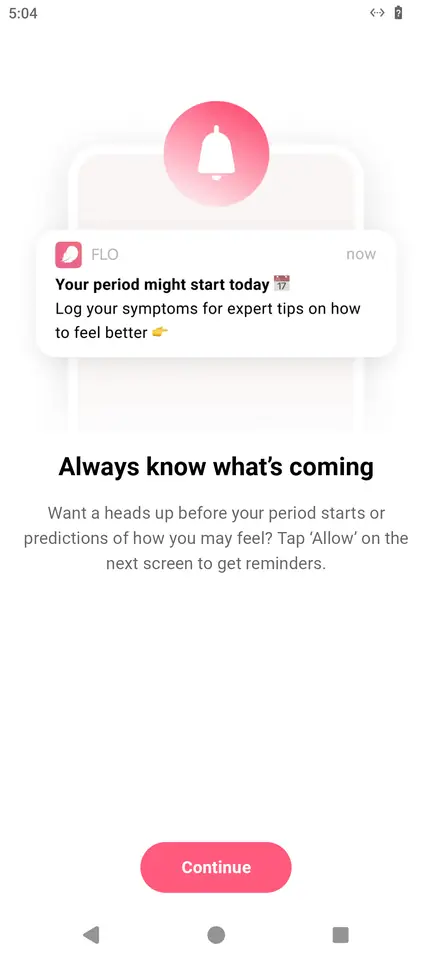
“Always know what’s coming”
This screen explains a feature or a step. On screen: Continue
. Next tap: “Continue”.
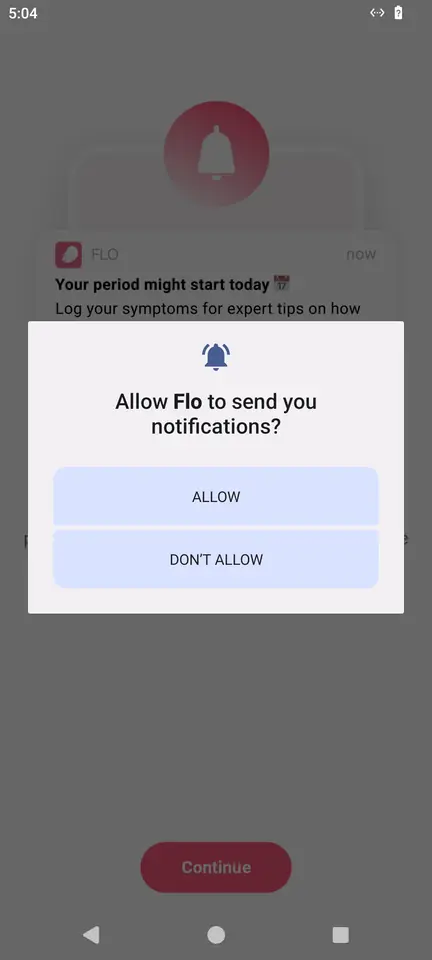
“Allow Flo to send you notifications?”
This screen asks for a system permission. On screen: ALLOW
, DON’T ALLOW
. Next tap: “Allow”.
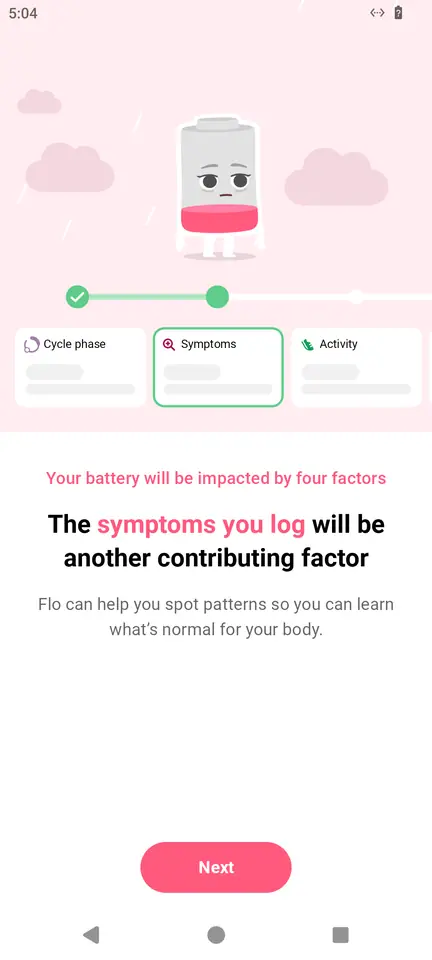
“Your battery will be impacted by four factors”
This screen explains a feature or a step. On screen: The symptoms you log will be another contributing factor
, Flo can help you spot patterns so you can learn what’s normal for your body.
. Next tap: “Next”.
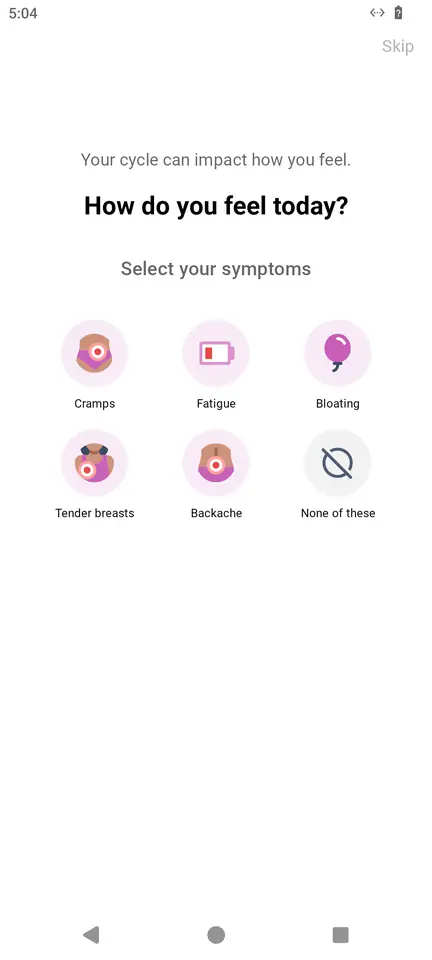
“Your cycle can impact how you feel.”
This screen asks the user about themselves to personalise what comes next. On screen: How do you feel today?
, Select your symptoms
. Next tap: “Skip”.
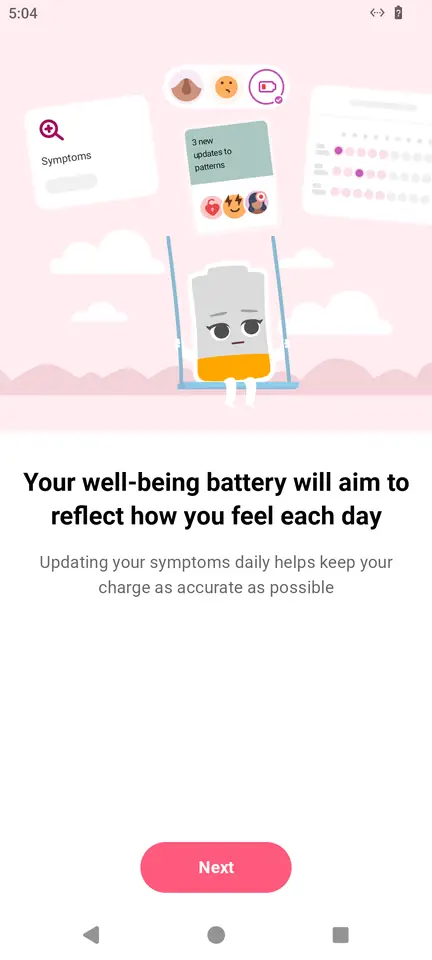
“Your well-being battery will aim to reflect how you feel each day”
This screen explains a feature or a step. On screen: Updating your symptoms daily helps keep your charge as accurate as possible
, Next
. Next tap: “Next”.
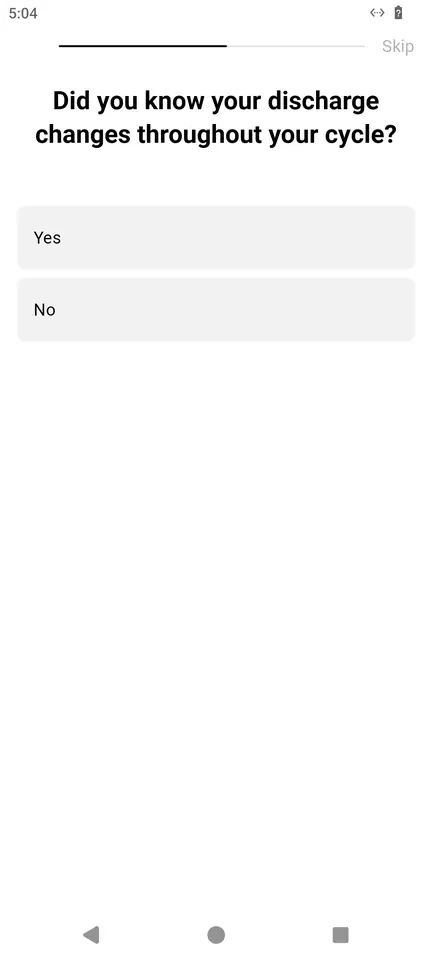
“Did you know your discharge changes throughout your cycle?”
This screen explains a feature or a step. On screen: Yes
, No
. Next tap: “Yes”.
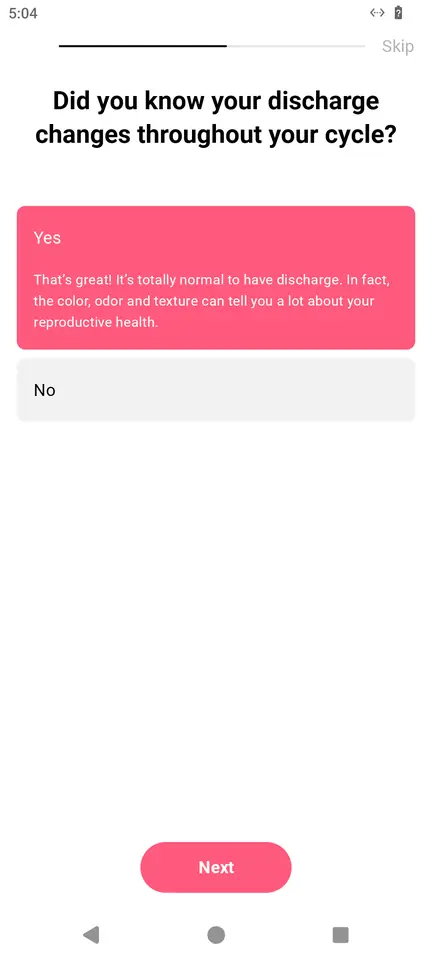
“Did you know your discharge changes throughout your cycle?”
This screen explains a feature or a step. On screen: Yes
, No
. Next tap: “Skip”.
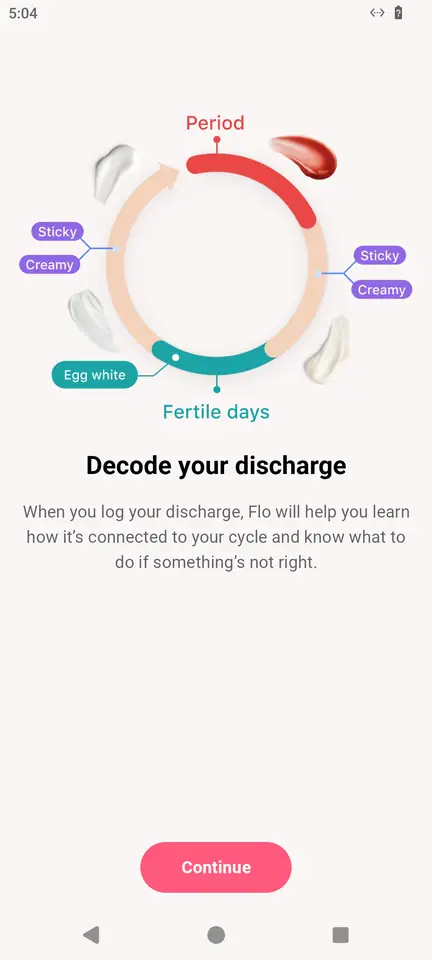
“Decode your discharge”
This screen explains a feature or a step. On screen: Continue
. Next tap: “Continue”.
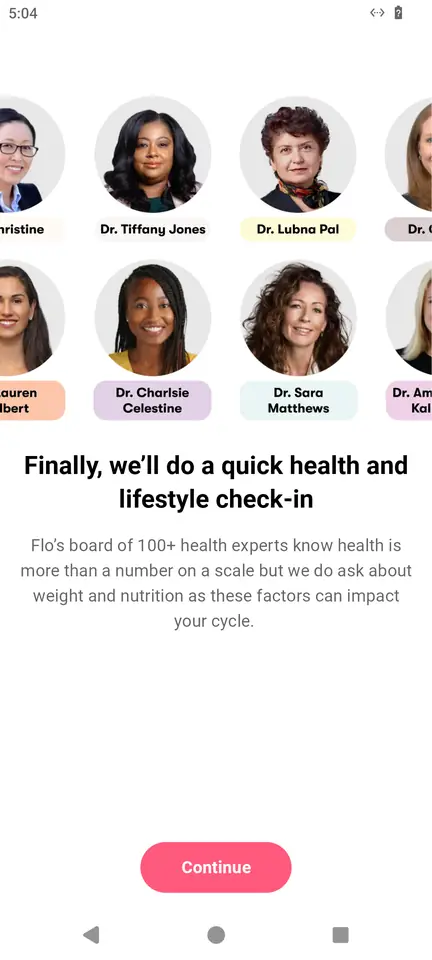
“Finally, we’ll do a quick health and lifestyle check-in”
This screen explains a feature or a step. On screen: Continue
. Next tap: “Continue”.
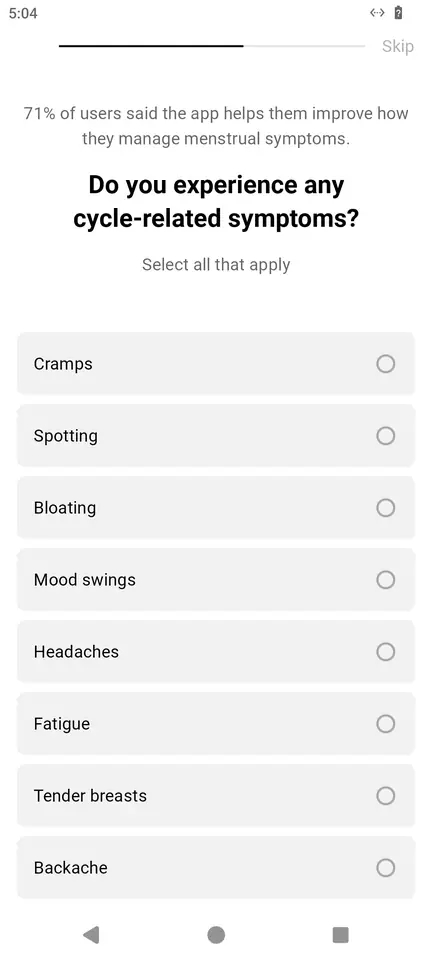
“71% of users said the app helps them improve how they manage menstrual symptoms.”
This screen asks the user about themselves to personalise what comes next. On screen: Do you experience any cycle-related symptoms?
, Select all that apply
. Next tap: “Cramps”.
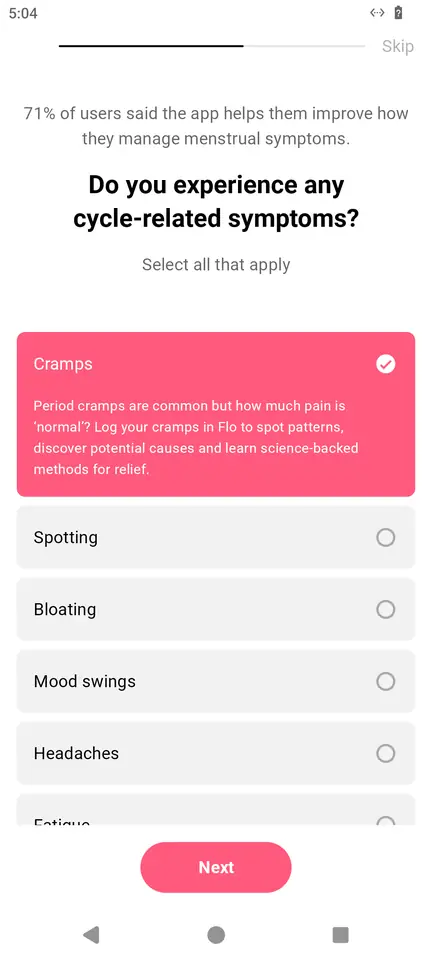
“71% of users said the app helps them improve how they manage menstrual symptoms.”
This screen asks the user about themselves to personalise what comes next. On screen: Do you experience any cycle-related symptoms?
, Select all that apply
. Next tap: “Skip”.
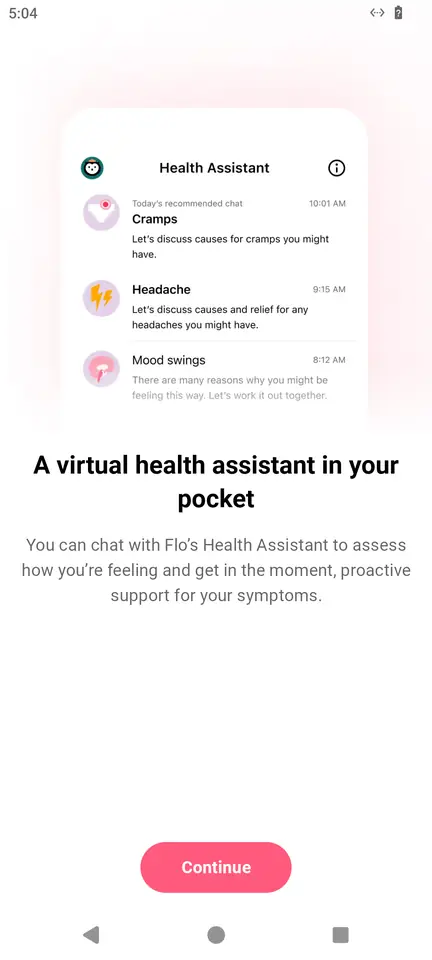
“A virtual health assistant in your pocket”
This screen explains a feature or a step. On screen: Continue
. Next tap: “Continue”.
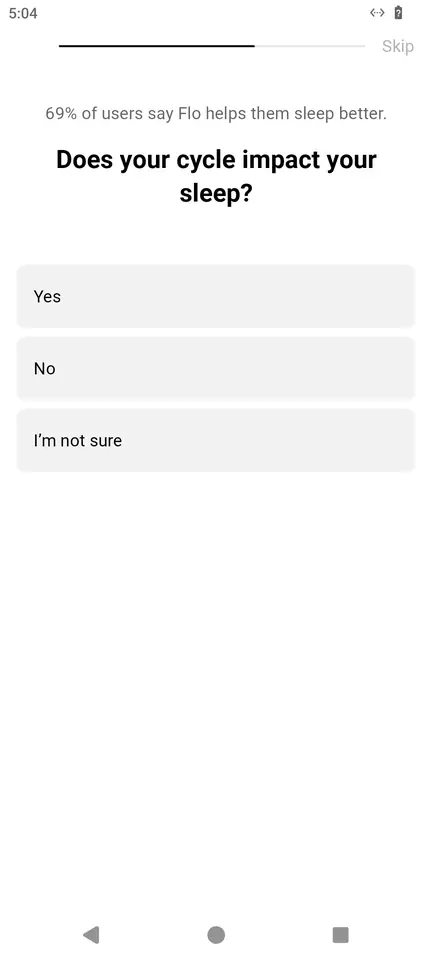
“69% of users say Flo helps them sleep better.”
This screen explains a feature or a step. On screen: Does your cycle impact your sleep?
, Yes
. Next tap: “Yes”.
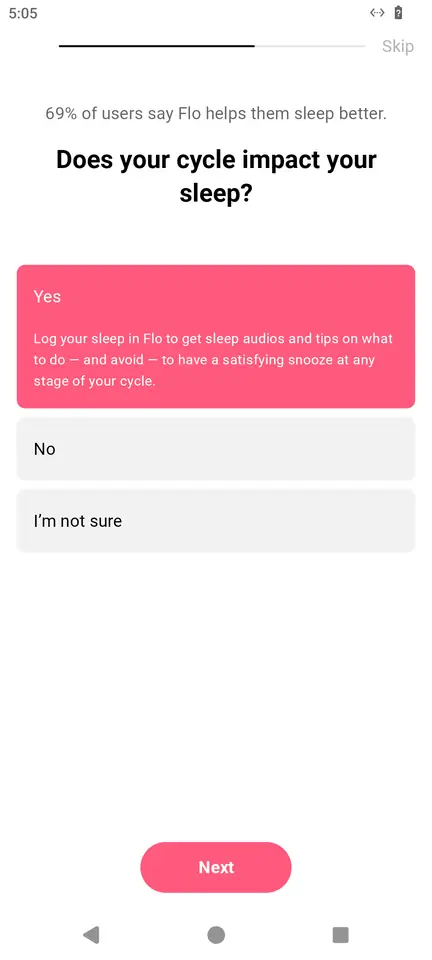
“69% of users say Flo helps them sleep better.”
This screen explains a feature or a step. On screen: Does your cycle impact your sleep?
, Yes
. Next tap: “Skip”.
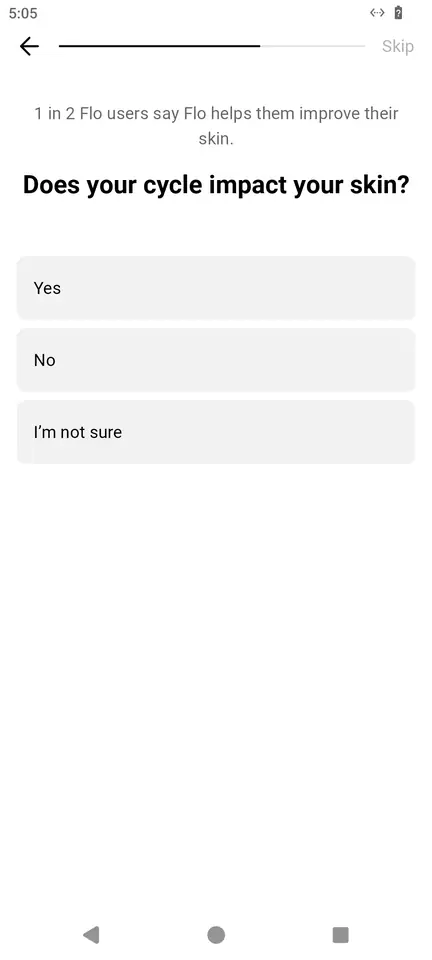
“1 in 2 Flo users say Flo helps them improve their skin.”
This screen explains a feature or a step. On screen: Does your cycle impact your skin?
, Yes
. Next tap: “Yes”.
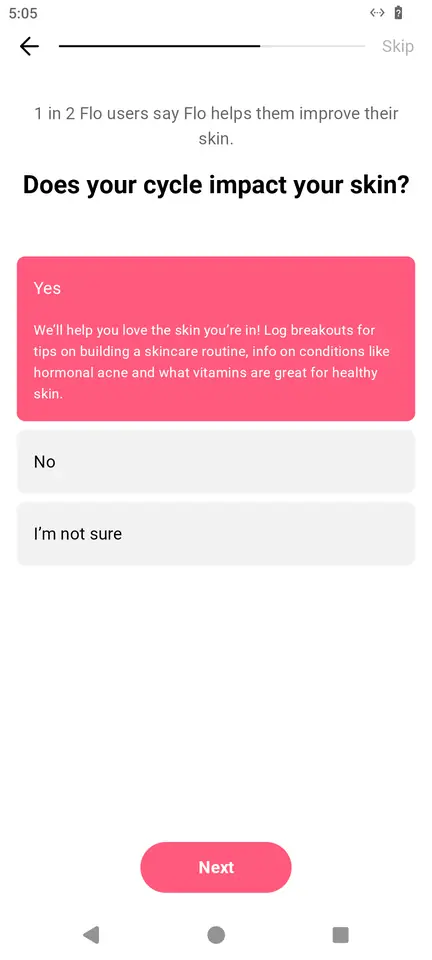
“1 in 2 Flo users say Flo helps them improve their skin.”
This screen explains a feature or a step. On screen: Does your cycle impact your skin?
, Yes
. Next tap: “Skip”.
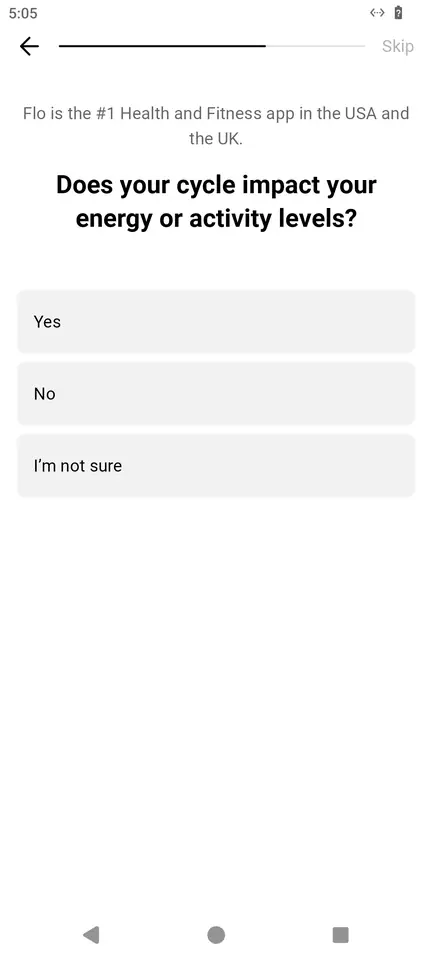
“Flo is the #1 Health and Fitness app in the USA and the UK.”
This screen explains a feature or a step. On screen: Does your cycle impact your energy or activity levels?
, Yes
. Next tap: “Yes”.
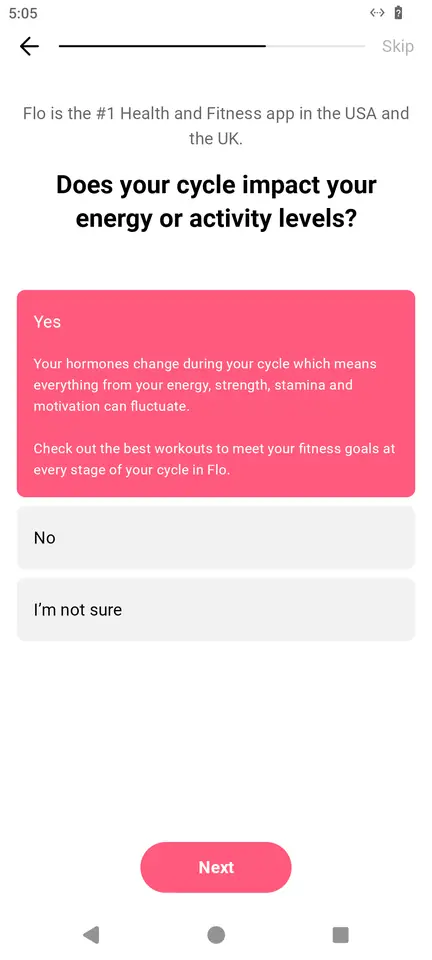
“Flo is the #1 Health and Fitness app in the USA and the UK.”
This screen explains a feature or a step. On screen: Does your cycle impact your energy or activity levels?
, Yes
. Next tap: “Skip”.
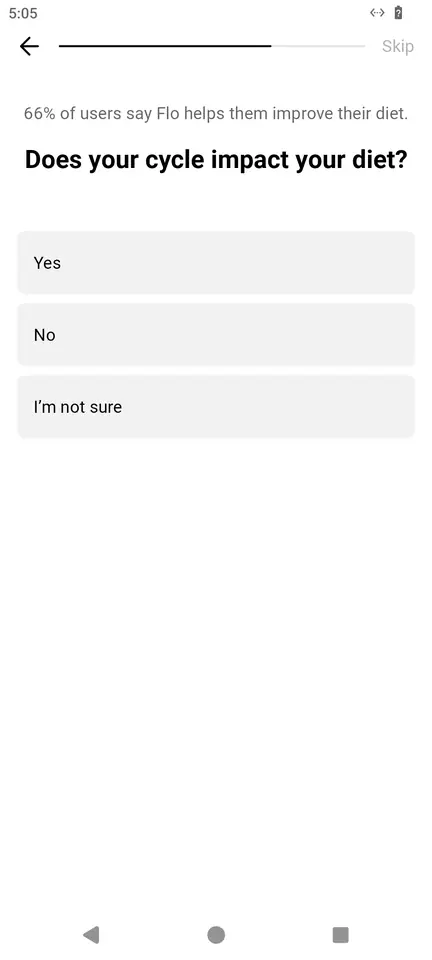
“66% of users say Flo helps them improve their diet.”
This screen explains a feature or a step. On screen: Does your cycle impact your diet?
, Yes
. Next tap: “Yes”.
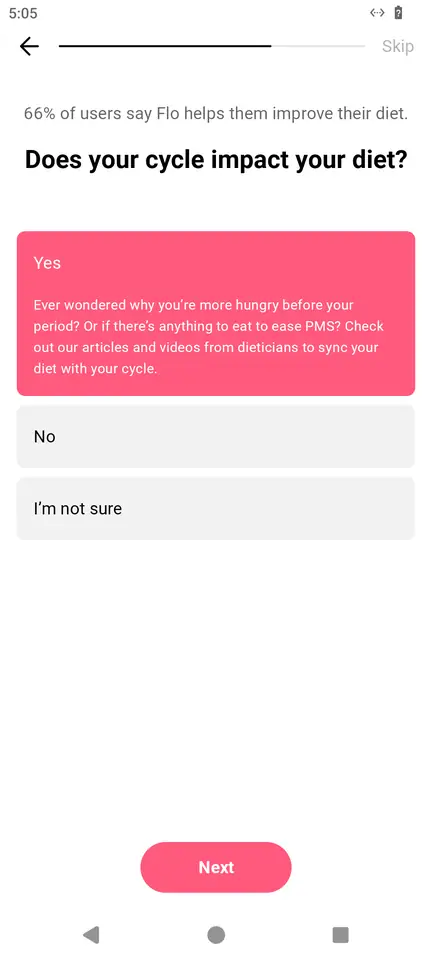
“66% of users say Flo helps them improve their diet.”
This screen explains a feature or a step. On screen: Does your cycle impact your diet?
, Yes
. Next tap: “Skip”.
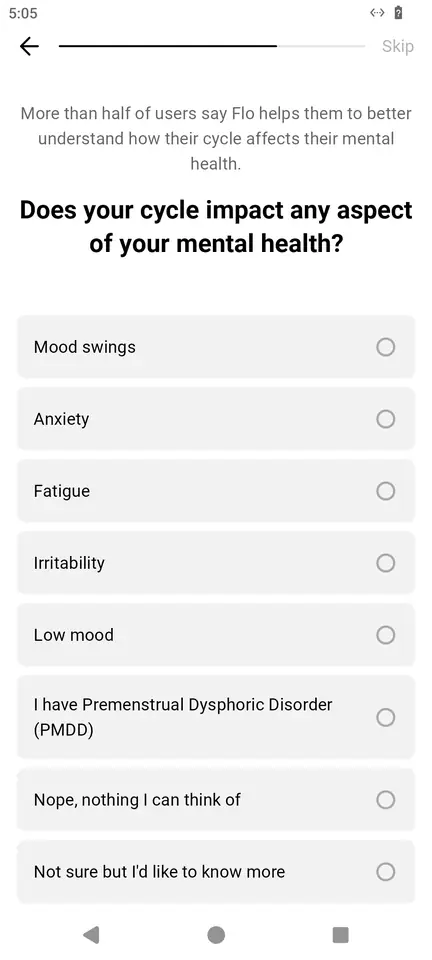
“Does your cycle impact any aspect of your mental health?”
This screen explains a feature or a step. On screen: Mood swings
, Anxiety
. Next tap: “Nope, nothing I can think of”.
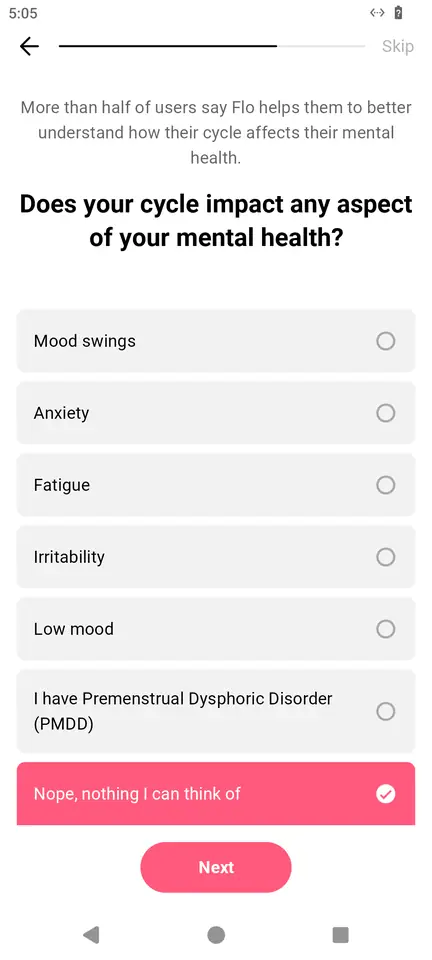
“Does your cycle impact any aspect of your mental health?”
This screen explains a feature or a step. On screen: Mood swings
, Anxiety
. Next tap: “Skip”.
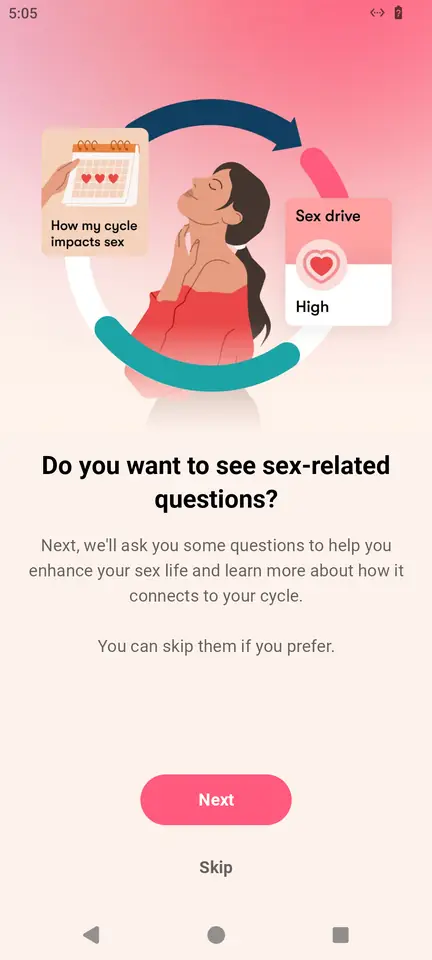
“Do you want to see sex-related questions?”
This screen asks the user about themselves to personalise what comes next. On screen: Next
, Skip
. Next tap: “Next”.
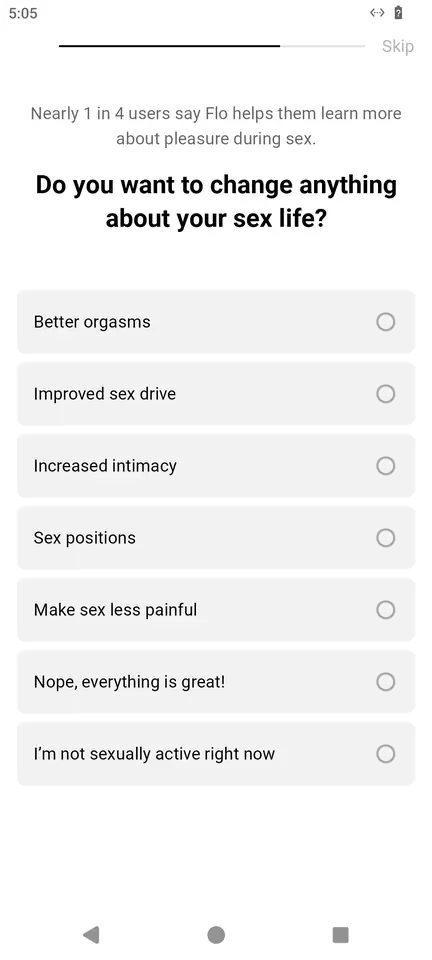
“Nearly 1 in 4 users say Flo helps them learn more about pleasure during sex.”
This screen asks the user about themselves to personalise what comes next. On screen: Do you want to change anything about your sex life?
, Better orgasms
. Next tap: “Better orgasms”.
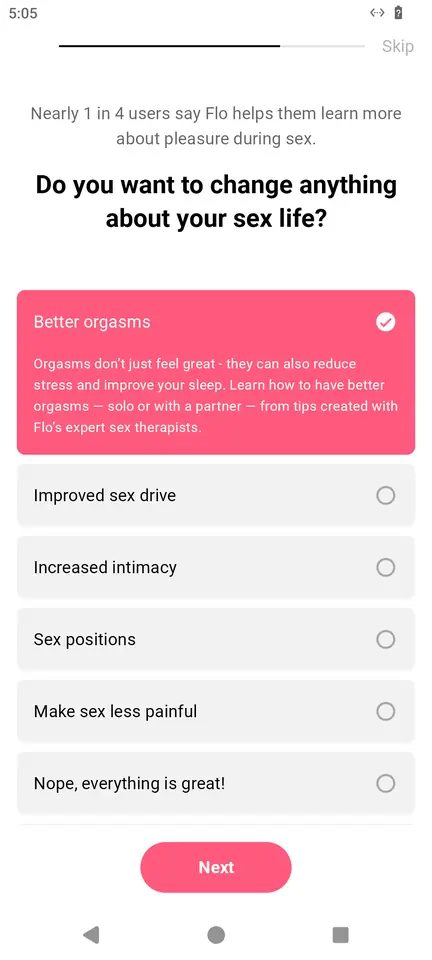
“Nearly 1 in 4 users say Flo helps them learn more about pleasure during sex.”
This screen asks the user about themselves to personalise what comes next. On screen: Do you want to change anything about your sex life?
, Better orgasms
. Next tap: “Skip”.
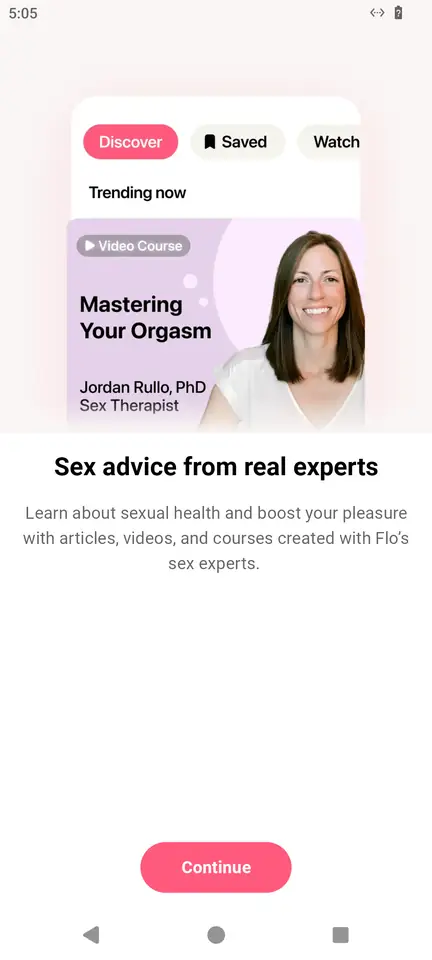
“Sex advice from real experts”
This screen explains a feature or a step. On screen: Continue
. Next tap: “Continue”.
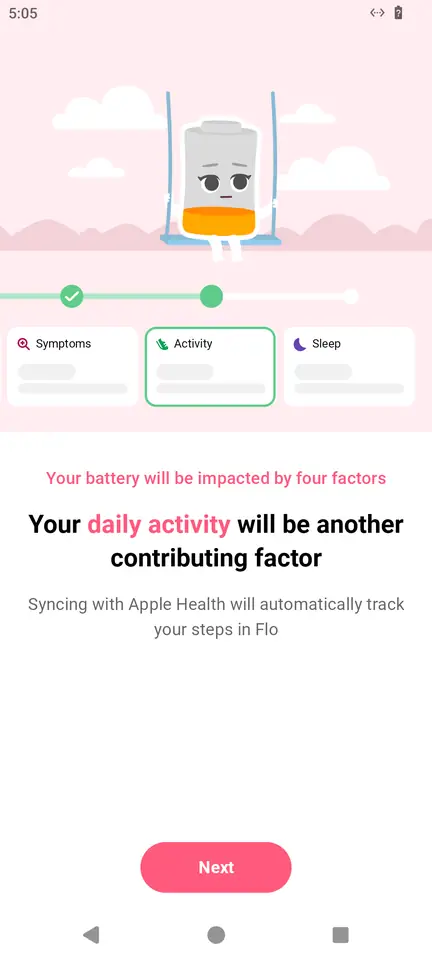
“Your battery will be impacted by four factors”
This screen explains a feature or a step. On screen: Your daily activity will be another contributing factor
, Syncing with Apple Health will automatically track your steps in Flo
. Next tap: “Next”.
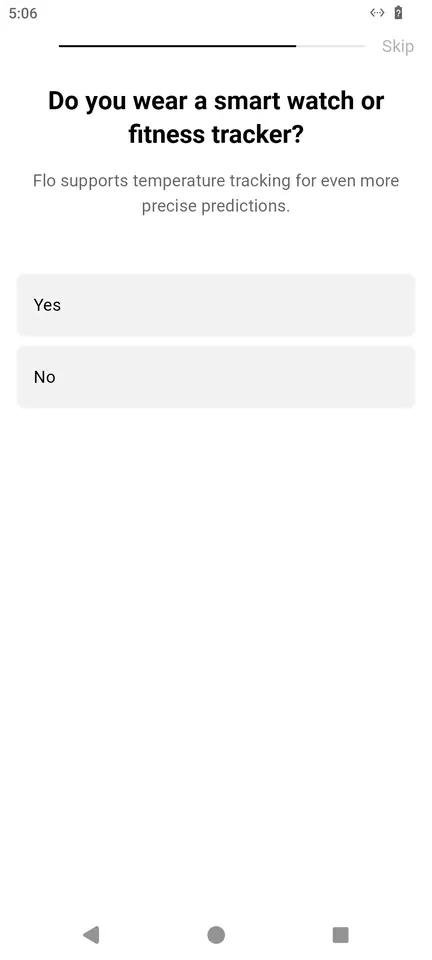
“Do you wear a smart watch or fitness tracker?”
This screen asks the user about themselves to personalise what comes next. On screen: Flo supports temperature tracking for even more precise predictions.
, Yes
. Next tap: “Yes”.
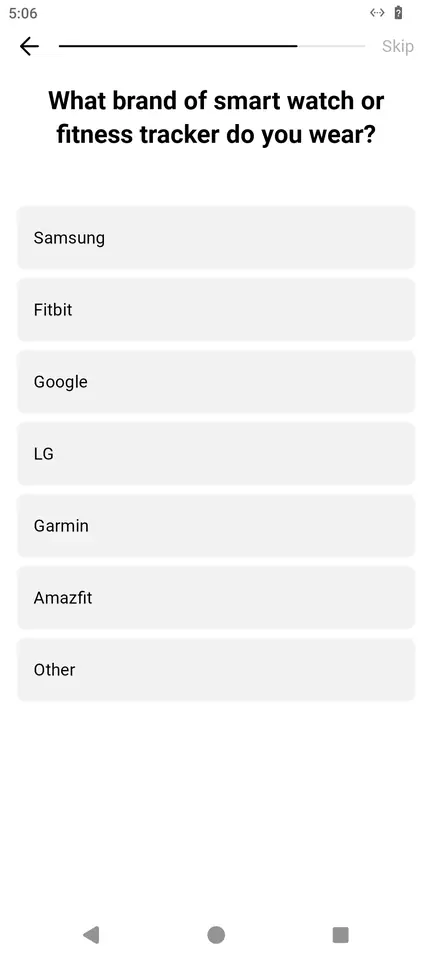
“What brand of smart watch or fitness tracker do you wear?”
This screen asks the user about themselves to personalise what comes next. On screen: Samsung
, Fitbit
. Next tap: “Skip”.
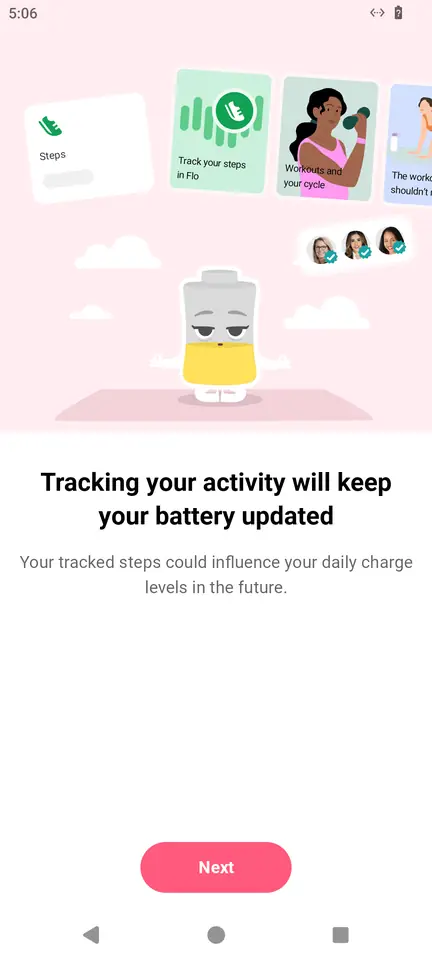
“Tracking your activity will keep your battery updated”
This screen explains a feature or a step. On screen: Your tracked steps could influence your daily charge levels in the future.
, Next
. Next tap: “Next”.
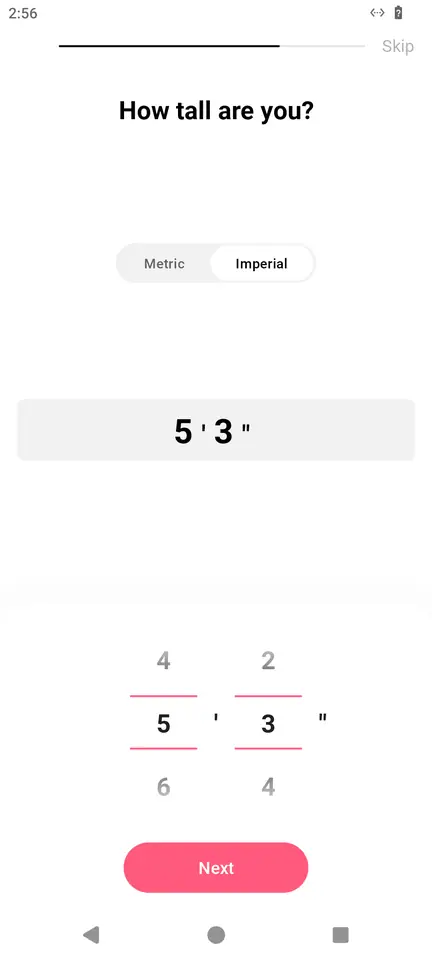
“How tall are you?”
This screen asks the user about themselves to personalise what comes next. On screen: Metric
, Imperial
. Next tap: “Metric”.
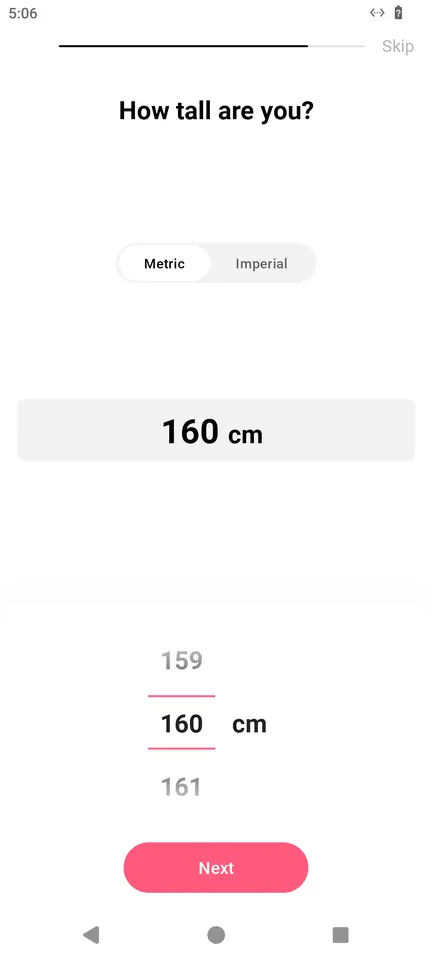
“How tall are you?”
This screen asks the user about themselves to personalise what comes next. On screen: Metric
, Imperial
. Next tap: “Next”.
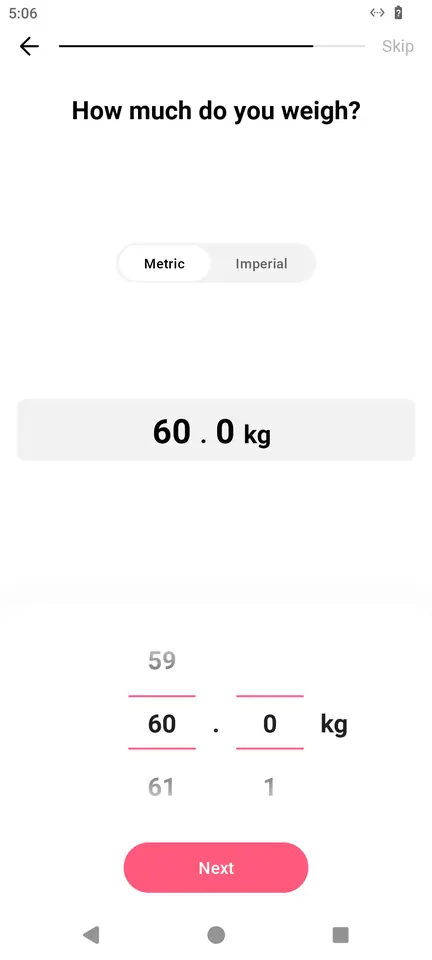
“How much do you weigh?”
This screen asks the user about themselves to personalise what comes next. On screen: Metric
, Imperial
. Next tap: “Metric”.
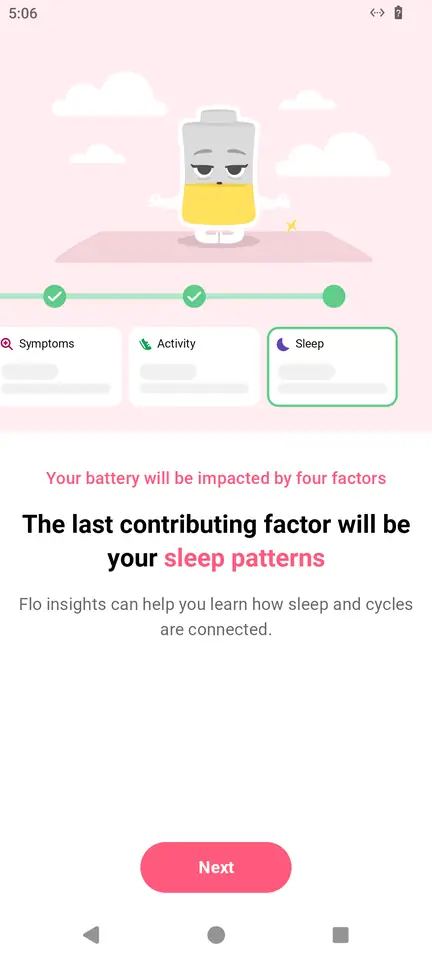
“Your battery will be impacted by four factors”
This screen explains a feature or a step. On screen: The last contributing factor will be your sleep patterns
, Flo insights can help you learn how sleep and cycles are connected.
. Next tap: “Next”.
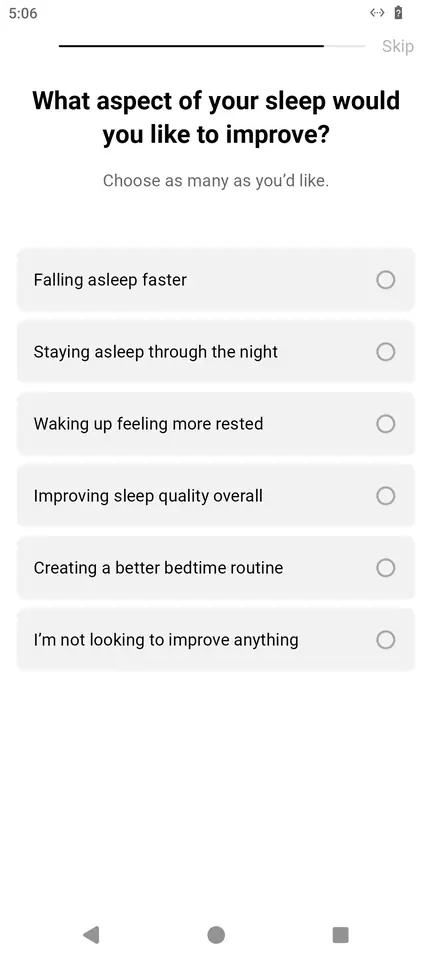
“What aspect of your sleep would you like to improve?”
This screen asks the user about themselves to personalise what comes next. On screen: Choose as many as you’d like.
, Falling asleep faster
. Next tap: “Falling asleep faster”.
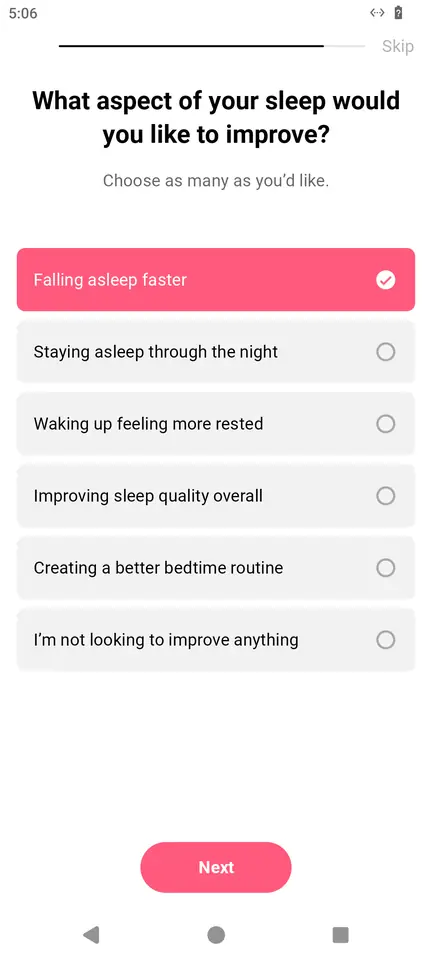
“What aspect of your sleep would you like to improve?”
This screen asks the user about themselves to personalise what comes next. On screen: Choose as many as you’d like.
, Falling asleep faster
. Next tap: “Skip”.
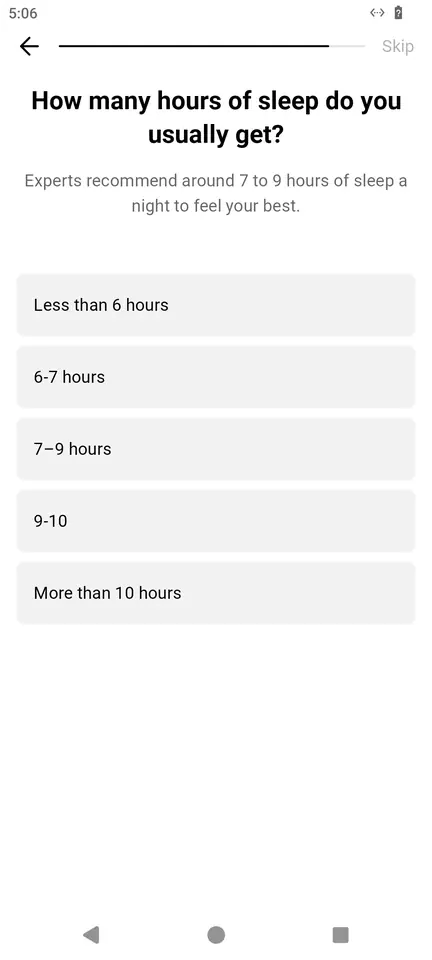
“How many hours of sleep do you usually get?”
This screen asks the user about themselves to personalise what comes next. On screen: Experts recommend around 7 to 9 hours of sleep a night to feel your best.
, Less than 6 hours
. Next tap: “Less than 6 hours”.
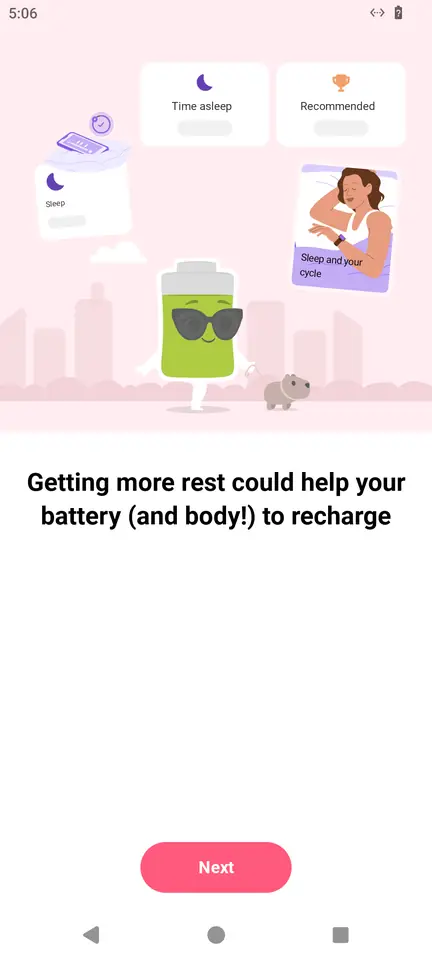
“Getting more rest could help your battery (and body!) to recharge”
This screen explains a feature or a step. On screen: Next
. Next tap: “Next”.
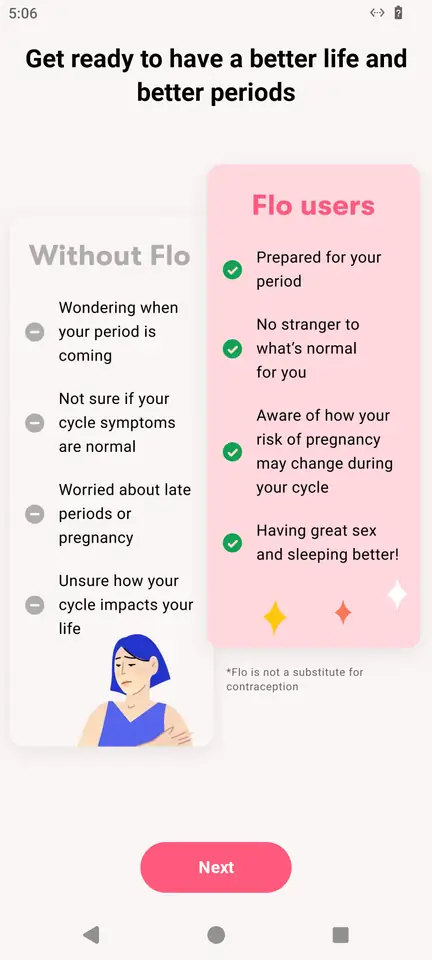
“Get ready to have a better life and better periods”
This screen explains a feature or a step. On screen: Next
. Next tap: “Next”.
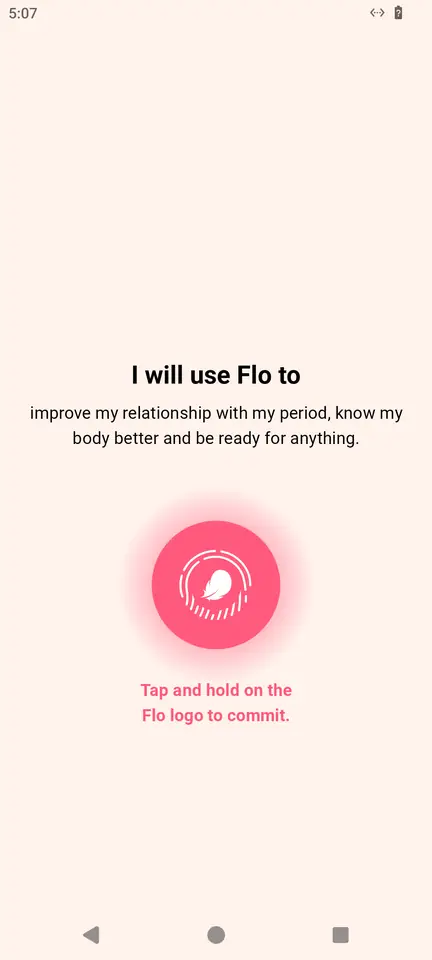
“I will use Flo to”
This screen explains a feature or a step. On screen: Tap and hold on the Flo logo to commit.
. Next tap: “Hold 'A long press button that requi' at (540,1462) 3.2s”.
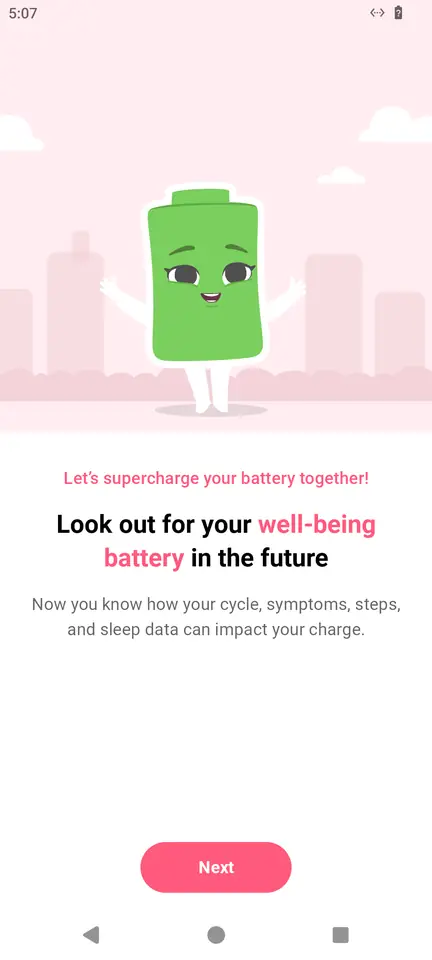
“Let’s supercharge your battery together!”
This screen explains a feature or a step. On screen: Look out for your well-being battery in the future
, Next
. Next tap: “Next”.
What to steal from Flo
- Delay the account wall: Flo lets users through 69 onboarding screens without signing up.
- Show progress on a long flow: 33 of Flo's 69 screens carry a progress indicator.
UI components in this flow
Other Flo flows
As an X thread
- 1/ How Flo onboards on Android: 69 screens, step by step. A UX teardown 🧵
- 2/ The shape of the flow: Consent → Question ×6 → Info ×2 → Question → Info ×4 → Question ×3 → Info ×3 → Question ×2 → Info ×4 → Question ×2 → Info → Permission prompt → Info → Question → Info ×5 → Question ×2 → Info ×11 → Question ×3 → Info ×2 → Question ×2 → Info → Question ×3…
- 3/ Step 1 — consent: “I agree to Privacy Policy and Terms of Use.”. It asks for privacy / cookie consent. Tap: “Consent checkbox”.
- 4/ Step 2 — question: “Are you using Flo for yourself?”. It asks the user about themselves to personalise what comes next. Tap: “Yes”.
- 5/ Step 3 — question: “How did you find out about us?”. It asks the user about themselves to personalise what comes next. Tap: “Friends or Family”.
- 6/ Asks 28 questions along the way, starting at step 2 with “Are you using Flo for yourself?”.
- 7/ No sign-up or log-in screen in the 69 onboarding screens we captured — the product comes first.
- 8/ Requests a system permission at step 30, after priming it on screen.
- 9/ What to steal — Delay the account wall: Flo lets users through 69 onboarding screens without signing up.
- 10/ Every screen, in order, free: https://flowtape.ai/teardown/flo/
FAQ
How many screens is Flo's onboarding flow?
We captured 69 screens of Flo's onboarding flow on a real Android device. Its shape: Consent → Question ×6 → Info ×2 → Question → Info ×4 → Question ×3 → Info ×3 → Question ×2 → Info ×4 → Question ×2 → Info → Permission prompt → Info → Question → Info ×5 → Question ×2 → Info ×11 → Question ×3 → Info ×2 → Question ×2 → Info → Question ×3 → Info → Question ×3 → Info ×4.
When does Flo ask you to create an account?
Not within the 69 screens we captured — there is no sign-up or log-in screen and the flow lets users in without an account.
What UI patterns does Flo use?
Across the 107 Flo screens in the library we detected onboarding progress indicator, skip button, goal picker, permission priming, cookie consent banner and terms and conditions agreement.
What can designers learn from Flo's onboarding flow?
Delay the account wall: Flo lets users through 69 onboarding screens without signing up. Show progress on a long flow: 33 of Flo's 69 screens carry a progress indicator.
Captured on a real Android device · last updated 2026-11-14